

Securing a WordPress site doesn’t require a big budget. The open-source community and leading security vendors have built the WordPress Security tools that cover every layer of your stack from DNS to database. This post lists 30 tools that owner should us.
Scanning & Vulnerability Assessment Tools
Before you can fix a problem, you need to find it. These free WordPress security scanners perform everything from surface-level vulnerability checks to deep authenticated audits of your entire codebase.
The gold standard free WordPress security scanner. WPScan checks plugins, themes, and core against a curated vulnerability database. Run it from the CLI or use the free API plan for up to 25 scans per day.
wpscan.comSucuri’s free malware scanner remotely crawls your site for injected code, blocklist status, and outdated software. Zero install required — paste your URL and scan in seconds.
sitecheck.sucuri.netWordfence’s free plugin includes a full malware scanner, real-time traffic monitoring, and firewall. The free tier uses threat signatures 30 days behind premium — still powerful for auditing.
wordfence.comA quick free audit tool that detects exposed wp-admin, XML-RPC status, version leakage, and basic plugin vulnerabilities in one lightweight scan.
isitwp.com/wordpress-security-scanPatchstack’s free tier delivers a community-powered vulnerability check covering thousands of plugins and themes, with a clean dashboard showing risk levels at a glance.
patchstack.comPro tip: Pair WPScan (authenticated CLI scan) with Sucuri SiteCheck (remote scan) for maximum coverage. They look at your site from opposite directions — inside and outside — and rarely catch the same things.
Login & Authentication Security Tools
Brute-force attacks account for the majority of WordPress compromises. These free tools lock down your login layer without adding friction for legitimate users.
The most-installed free brute force protection plugin. Configures lockout durations, IP allowlisting, and sends email alerts on repeated failed logins. Lightweight and set-and-forget.
Adds TOTP-based two-factor authentication to your WordPress login. Works with Google Authenticator, Authy, and any RFC 6238-compliant app. Free tier supports unlimited users.
Invisible reCAPTCHA v3 integration stops automated login attacks and spam form submissions. Multiple free WordPress plugins surface this via a simple API key connection.
Relocates your wp-login.php to a custom URL, eliminating automated attacks targeting the default login path. Not a silver bullet, but removes enormous amounts of noise from your logs.
Replaces password-based logins with a one-time magic link sent via email. Removes credential stuffing as an attack vector entirely. Excellent for sites where editors rarely log in.
File Integrity & Monitoring Tools
Attackers who gain access always modify files. These tools establish a baseline of your site’s file system and alert you the moment something changes — often before visible damage occurs.
Compares your WordPress core files against official checksums from WordPress.org. Any modified file surfaces instantly, even if buried inside a plugin folder.
Maintains a detailed audit trail of every user action, plugin change, and file modification. The free version stores 90 days of logs — invaluable for post-breach forensics.
Includes scheduled file change detection alongside a broad hardening checklist. The free tier covers file monitoring, database prefix changes, and lockdown of sensitive files.
A YARA-based open-source tool that scans your server for obfuscated PHP backdoors, web shells, and encoded malware payloads. Requires SSH access to your server.
github.com/nbs-system/php-malware-finderThe open-source antivirus engine used by many managed hosts. Install on VPS or dedicated servers for on-demand free malware scanning of your entire WordPress root directory.
SSL & Security Header Testing Tools
A valid certificate is only half the story. These free SSL checker and header testing tools verify that your HTTPS configuration is actually hardened and your response headers aren’t leaking attack surface.
The industry-standard free SSL checker. Grades your certificate chain, TLS version support, cipher suites, and HSTS configuration from A+ to F. Run this quarterly at minimum.
ssllabs.com/ssltestThe go-to free security headers test. Scans for CSP, X-Frame-Options, Referrer-Policy, Permissions-Policy, and more. Returns a letter grade with inline fix guidance.
securityheaders.comMozilla’s free security test covers HTTP, TLS, and SSH configurations with scored recommendations. Also runs third-party tests from SSL Labs and HSTS Preload automatically.
observatory.mozilla.orgHandles mixed content errors, forces HTTPS site-wide, and sets HSTS headers directly from your WordPress dashboard. Solves 90% of SSL configuration headaches with one click.
Checks whether your domain is eligible for and currently on the HSTS preload list — the browser-level mechanism that forces HTTPS before any network request is ever made.
hstspreload.orgBackup & Recovery Tools
No security stack is complete without a clean recovery path. These free backup tools ensure a compromise is a bad day, not a catastrophic one.
The most widely used free WordPress backup plugin. Schedules automatic backups to Dropbox, Google Drive, S3, or FTP. One-click restore directly from the WordPress admin. Over 3 million active installs.
Packages your entire WordPress site — files and database — into a portable installer bundle. Ideal for both backup and migration. The free version handles sites up to 500MB cleanly.
WP-CLI’s built-in database export command creates clean SQL dumps in seconds. Pipe to a cron job for fully automated, off-plugin database backups on any VPS or managed host with SSH.
Backs up database tables, XML exports, plugins list, and files in a single job. Sends backups to Dropbox, S3, FTP, or email. Granular scheduling makes it ideal for high-volume sites.
Syncs your backup directory to 40+ cloud storage providers. Combine with a bash + cron setup for fully automated off-site backup replication at zero cost.
rclone.orgThe 3-2-1 rule: Keep at least 3 copies of your backup, on 2 different media types, with 1 stored off-site. Every tool in this section can be part of a 3-2-1 strategy at zero cost.
Log Analysis & Monitoring Tools
Logs are your security CCTV footage. These free tools help you parse, search, and act on the raw data your server is already generating.
A real-time terminal and browser-based log analyzer for Apache/Nginx access logs. Instantly surfaces suspicious IPs, 404 storms, and bot-driven scan patterns. No database required.
goaccess.ioParses your auth and web server logs for repeated failure patterns, then auto-bans offending IPs via iptables. Essential for VPS owners. Pairs perfectly with WordPress login hardening plugins.
Provides in-dashboard log viewing, bot detection, and IP traffic analysis alongside active security rules. Free tier includes traffic inspection logs with per-IP drill-down for the past 24 hours.
For technically inclined site owners. This open-source stack ingests WordPress and server logs into Loki and visualizes them in Grafana dashboards. Free self-hosted with no row limits.
grafana.com/oss/lokiMonitors your site every 5 minutes and alerts you via email, SMS, or Slack the moment it goes down. A compromised site often drops — this gives you an instant early-warning signal.
uptimerobot.comTraining & Learning Resources
Tools are only as effective as the person using them. These free resources build the foundational knowledge that turns a checklist into genuine security judgment.
WordPress.org’s official hardening guide covering server configuration, file permissions, database security, and admin access controls. The authoritative baseline every site owner should read annually.
wordpress.org/documentation/article/hardening-wordpressUnderstanding the OWASP Top 10 web risks — SQL injection, XSS, broken access control — gives you a mental model for evaluating every plugin you install and every form you publish.
owasp.org/www-project-top-tenSucuri’s research blog publishes real-world WordPress malware analysis, breach post-mortems, and threat intelligence reports. The best free source of WordPress-specific threat coverage available.
blog.sucuri.netA comprehensive free training library covering malware identification, incident response, and WordPress hardening — written for site owners rather than security engineers.
wordfence.com/learnYou’re already here. Our guides translate enterprise-grade security practices into actionable steps for WordPress site owners — no cybersecurity degree required. Subscribe for weekly deep-dives.
Where to start: If this list feels overwhelming, prioritize in this order — (1) run a WPScan + SiteCheck audit today, (2) install Wordfence or Patchstack, (3) configure UpdraftPlus with off-site storage, (4) test your SSL config on SSL Labs. Those four steps cover the highest-probability attack vectors for most WordPress sites.
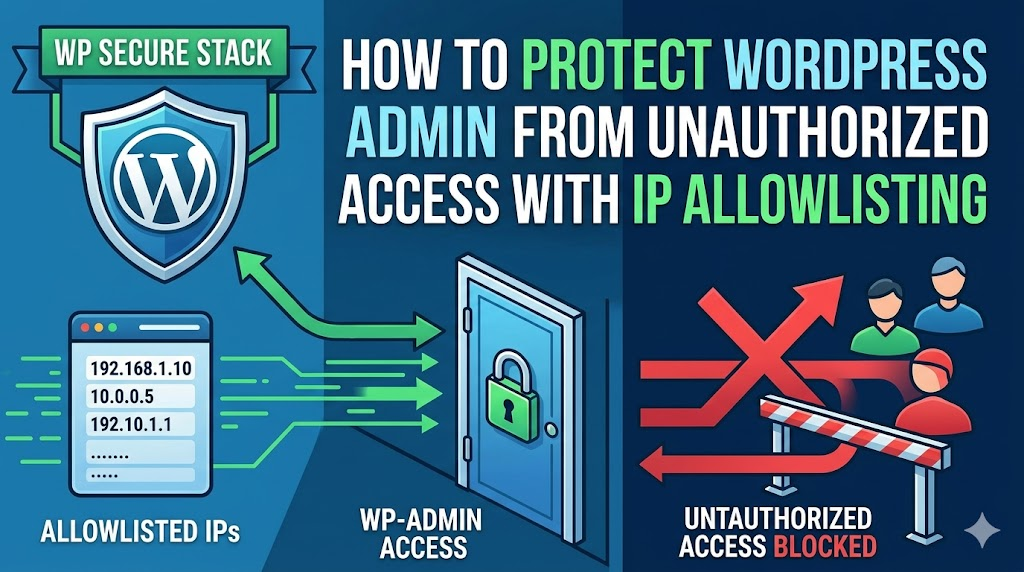
Get the full WP Secure Stack checklist
We condensed this entire toolkit into a printable one-page checklist — with setup priority order, estimated time per tool, and direct links to documentation.
Download the free checklist →




Leave a Reply