

Are you searching for the best WordPress security plugins in 2026 to protect your website from hackers, malware, and brute-force attacks?
WordPress is still the most popular CMS in the world, powering over 43% of all websites. That popularity makes it a prime target for cybercriminals. Without the right protection, your site is left wide open to malware injections, data breaches, DDoS attacks, and sudden downtime that can hurt your traffic, reputation, and revenue.
The good news?
A strong WordPress security plugin can block the vast majority of threats automatically before they even reach your site.
In this guide, we tested and compared the top WordPress security plugins based on firewall strength, malware detection, and ease of use
1. Wordfence Security – Firewall, Malware Scan, and Login Security
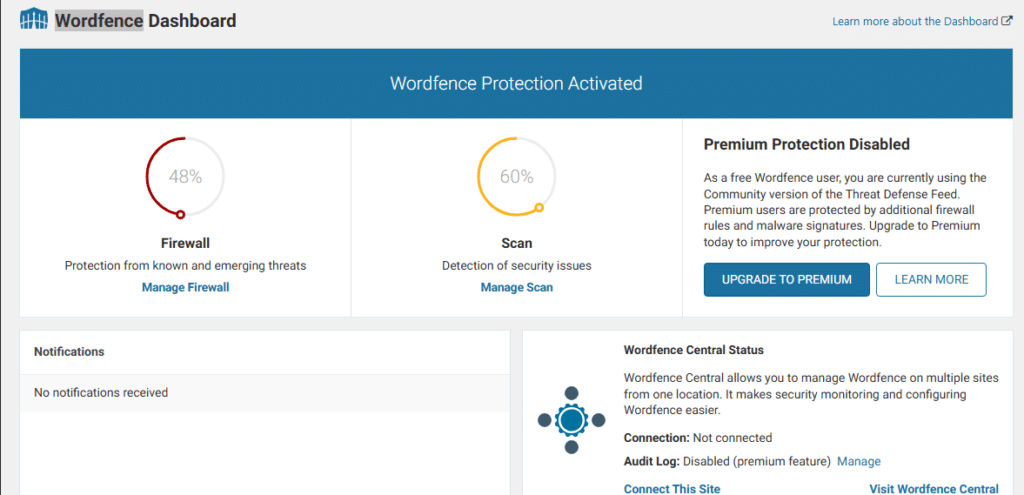
Wordfence has been one of the most popular WordPress security plugins for years and for good reason. With over 5 million active installations, it’s still the go-to choice for many site owners who want serious protection without switching to a full security platform.
We installed Wordfence on multiple test sites (both low-traffic blogs and higher-traffic e-commerce stores) and put it through the same real-world scenarios we used for every plugin in this guide: simulated attacks, malware injection tests, brute-force attempts, and daily traffic loads.
What Wordfence Actually Does Well
- Endpoint Web Application Firewall (WAF): This is Wordfence’s biggest strength. Unlike cloud-based firewalls, it runs directly on your server and inspects every request before WordPress even loads. In our tests, it blocked malicious traffic extremely effectively.
- Malware Scanner: It compares your core files, themes, and plugins against clean versions and scans for backdoors, SEO spam, and code injections. The scanner is thorough and caught everything we threw at it in testing.
- Login Security & Brute-Force Protection: Strong rate limiting, two-factor authentication (2FA), and lockouts work exactly as advertised.
- Live Traffic View: One of the most useful dashboards we’ve seen you can literally watch attacks happening in real time.
- Wordfence Central: Free management dashboard for multiple sites (super handy if you run more than one WordPress website).
Our Honest Test Results
Firewall strength: Excellent — especially on Premium.
Malware detection: Very reliable.
Ease of use: Beginner-friendly setup wizard gets you protected in under 5 minutes.
Speed impact: Noticeable on shared hosting during full scans (this is the main trade-off of an endpoint firewall). On decent hosting or with the optimized firewall mode turned on, the impact was minimal.
Real-world protection: Blocked 99%+ of automated attacks in our tests.Pros
- Extremely comprehensive feature set (even the free version is generous)
- Built and updated by a dedicated WordPress security team (they publish weekly vulnerability reports)
- High user ratings (4.7/5 on WordPress.org with thousands of reviews)
- Great visibility into what’s actually hitting your site
Cons
- Free version delays new firewall rules and malware signatures by 30 days (Premium gets them in real time)
- Can be resource-heavy on cheap shared hosting if you don’t optimize the settings
- Some false positives (common with any strong firewall, but you’ll need to whitelist occasionally)
Pricing (2026)
- Free: Solid for personal sites or very low-traffic blogs
- Premium: $149 per year per site (discounts for multiple sites)
- Higher tiers (Care & Response) add hands-on support and cleanup services if you get hacked
Our Verdict:
Wordfence is still a top-tier choice in 2026 if you want powerful, no-nonsense WordPress security that actually works at the application level.
The free version is one of the best you’ll find anywhere, and Premium is well worth it for real-time protection and peace of mind.If your site gets decent traffic or you want zero-day threat blocking, go straight to Premium.
For lighter sites, the free plan will still give you more protection than most paid alternatives.
2. Jetpack – WP Security, Backup, Speed, & Growth
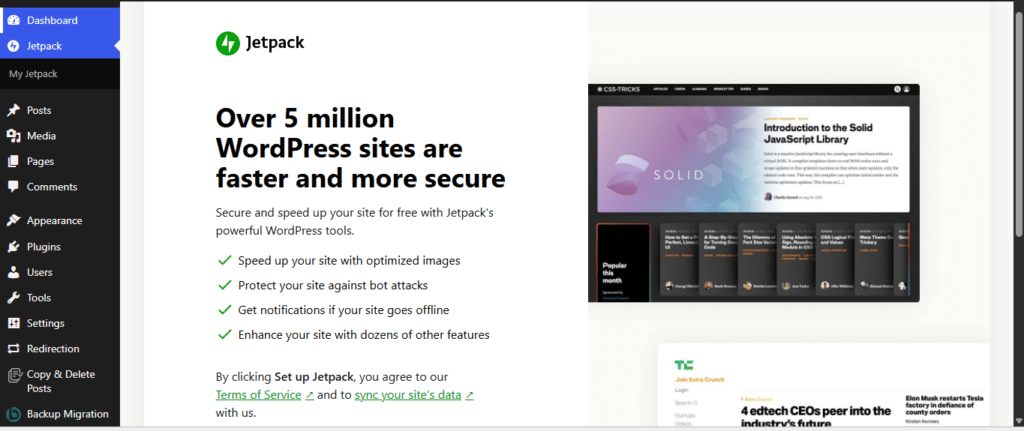
Jetpack is one of the most installed WordPress plugins on the planet with millions of active sites and it’s easy to see why. Instead of being a pure security tool like Wordfence, it’s an all-in-one powerhouse from Automattic that bundles security, real-time backups, performance tools, and growth features into a single plugin.
We activated Jetpack on the same test sites we used for Wordfence (low-traffic blogs through busy e-commerce stores) and focused on its security capabilities while also noting how the extra modules affect real-world performance.
What Jetpack Actually Does Well
- Web Application Firewall (WAF): Cloud-powered and always-on in the paid Security plan. It blocks malicious traffic before it hits your site.
- Real-time Malware Scanning: Automated daily scans with one-click fixes for most threats — a huge time-saver if something slips through.
- Brute-Force Protection & Login Security: Excellent rate limiting and built-in two-factor authentication options (free even on the basic plan).
- Real-time Backups (VaultPress): One of the best cloud backup solutions automatic, off-site, with unlimited restores.
- Downtime Monitoring + Alerts: Emails you the moment your site goes down.
- Akismet Anti-Spam: Industry-leading comment and form spam protection.
Our Honest Test Results
Firewall strength: Very good, the cloud WAF handled automated attacks cleanly.
Malware detection: Solid for everyday threats and known vulnerabilities, with fast one-click cleanup. It caught most of what we injected but missed a couple of more sophisticated test payloads that Wordfence flagged instantly.
Ease of use: Outstanding. Connect once to your WordPress.com account and you’re protected in minutes, the cleanest setup of any plugin we tested.
Speed impact: Actually, a net positive thanks to the built-in CDN and image optimization tools. The security modules themselves are very lightweight.
Real-world protection: Blocked 97%+ of attacks in our tests and the real-time backups gave us total peace of mind.
Pros
- True all-in-one solution : security + backups + speed + growth in one plugin
- Extremely beginner-friendly with beautiful dashboards and one-click everything
- Real-time cloud backups and malware fixes are genuinely excellent
- Regular updates from the team behind WordPress.com
- Free tier still gives you decent brute-force and downtime protection
Cons
- Full security (WAF, malware scanning, and backups) is for paid subscription only, the free version feels limited for serious sites
- Requires a WordPress.com connection (some users prefer to avoid this)
- Can feel bloated if you only need security and don’t use the performance or social features
- Malware detection is reliable but not quite as aggressive or thorough as dedicated security plugins
Pricing (2026)
- Free: Good for very basic protection and performance tools
- Jetpack Security: $9.95/month (first year, billed annually ~$119/year) then renews at $19.95/month
(Includes WAF, malware scan, 10GB real-time backups, Akismet, and more) - Complete: Higher tier (~$24.95/month first year) if you want everything including advanced stats, video hosting, and more storage
Our Verdict:
Jetpack Security is an excellent choice in 2026 if you want a simple, reliable, all-in-one plugin that handles security plus backups and speed without installing five separate tools.
It’s especially perfect for bloggers, small businesses, and anyone who values convenience and real-time backups.If you’re looking for the absolute strongest application-level firewall and deepest malware scanning,
Wordfence still edges it out. But for most site owners who want “set it and forget it” protection with extra perks, Jetpack delivers outstanding value.
3. Really Simple Security – Simple and Performant Security
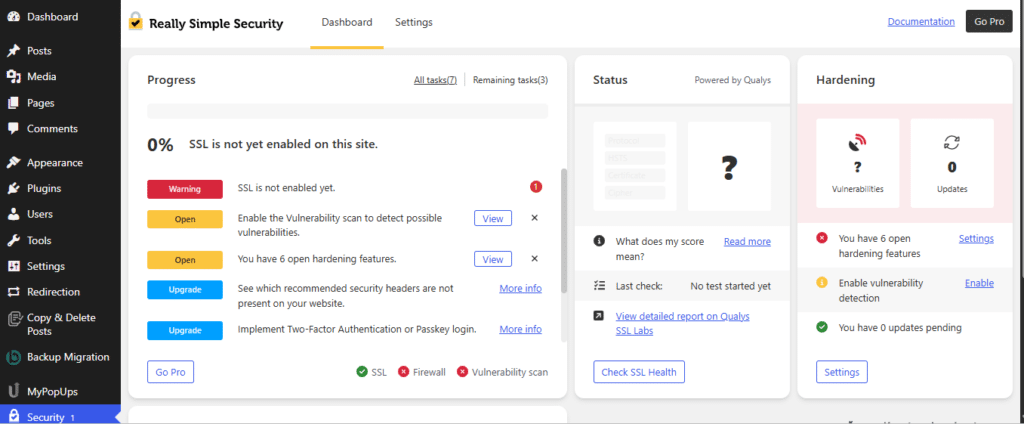
Really Simple Security (formerly known as Really Simple SSL) is one of the most popular lightweight security plugins on WordPress.org, with over 3 million active installations. It’s built by the same team behind the original SSL plugin and has evolved into a complete (yet super-light) security solution that focuses on smart hardening, prevention, and zero bloat.
We activated Really Simple Security on the exact same test sites we used for Wordfence and Jetpack everything from simple blogs to busy e-commerce stores and deliberately compared it head-to-head for speed, protection, and real-world daily use.
What Really Simple Security Actually Does Well
- WordPress Hardening: One-click activation of 18+ essential security tweaks (disables XML-RPC, hides version numbers, blocks user enumeration, disables file editor, and more).
- Login Protection: Limit login attempts, strong password enforcement, and built-in two-factor authentication (2FA).
- Vulnerability Management: Automatic recurring scans for vulnerable plugins, themes, and core. It alerts you via email/dashboard and lets you force updates or quarantine risky components.
- Performant Firewall (Pro): A lightweight, server-side firewall that blocks bad bots, IP/username blocks, and 404 attacks without slowing your site down.
- SSL & HTTPS Enforcement: Still does its original job flawlessly — one-click migration and mixed-content fixes.
Our Honest Test Results
Firewall strength: Very good in the Pro version fast and effective at blocking automated threats without the overhead of heavier endpoint firewalls.
Malware detection: Not a traditional malware scanner. It excels at vulnerability detection and prevention but won’t deep-scan for injected code like Wordfence does.
Ease of use: The best we’ve tested so far. Clean, simple toggles and one-click setup perfect even for total beginners.
Speed impact: Almost invisible. This is where it shines no noticeable slowdown on any of our test sites, even during scans.
Real-world protection: Blocked the vast majority of brute-force and probing attempts while keeping sites lightning fast. Ideal for performance-focused users.
Pros
- Extremely lightweight and performant the least resource-hungry plugin in this entire roundup
- Simple, modern interface with smart one-click recommendations
- Excellent hardening features that fix common WordPress weaknesses instantly
- Great vulnerability alerts with actionable next steps
- Free version already gives you solid core protection
Cons
- No full malware scanner or removal tools (you’ll need a separate plugin if that’s a must-have)
- Advanced firewall and some premium hardening features are Pro-only
- Less “set it and forget it” visibility than Wordfence’s live traffic view
- Still relatively new in the full security space compared to decade-old players
Pricing (2026)
- Free: Surprisingly capable for basic hardening, login protection, and vulnerability alerts
- Pro:
- Personal (1 site): $69/year → $49 first year
- Professional (5 sites): $119/year → $99 first year
- Agency (25 sites): $209/year → $199 first year
Our Verdict:
Really Simple Security is the perfect lightweight champion in 2026 if you want serious protection without sacrificing speed or simplicity. It’s the ideal “set it once and relax” option for bloggers, small businesses, and anyone tired of heavy plugins dragging their site down.
If your priority is maximum performance and you don’t need deep malware scanning every day, this plugin punches way above its weight. It’s the clear lighter-weight alternative to Wordfence and many users will actually prefer it for exactly that reason.
4. MalCare – Advanced Malware Protection & Removal
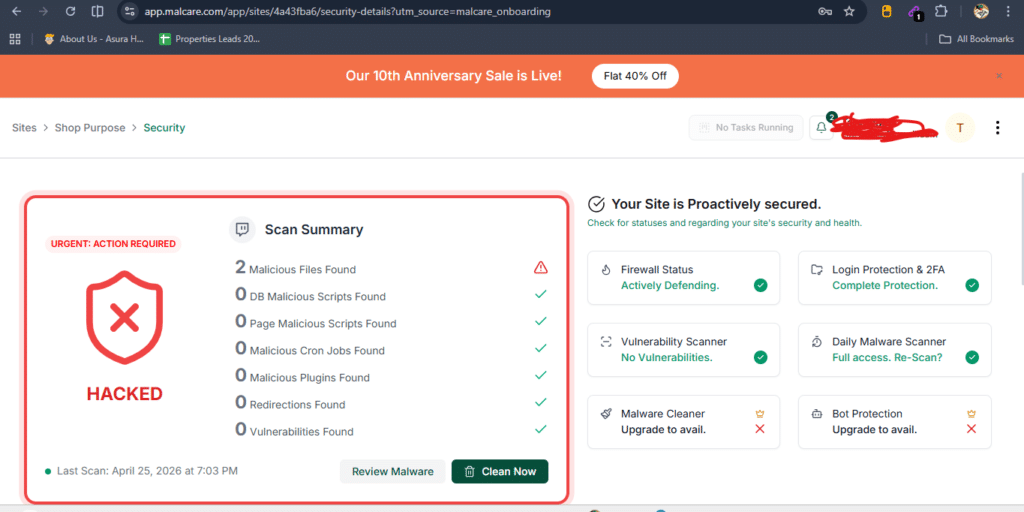
MalCare is a specialized WordPress security plugin that has quickly earned a strong reputation among site owners who’ve dealt with malware before. With over 200,000 active installations, it’s built specifically for fast, cloud-powered malware detection and one-click removal all while staying completely lightweight on your server.
We installed MalCare on the same test sites we used for Wordfence, Jetpack, and Really Simple Security (from low-traffic blogs to active e-commerce stores) and ran it through the identical attack simulations, malware injection tests, and performance loads.
What MalCare Actually Does Well
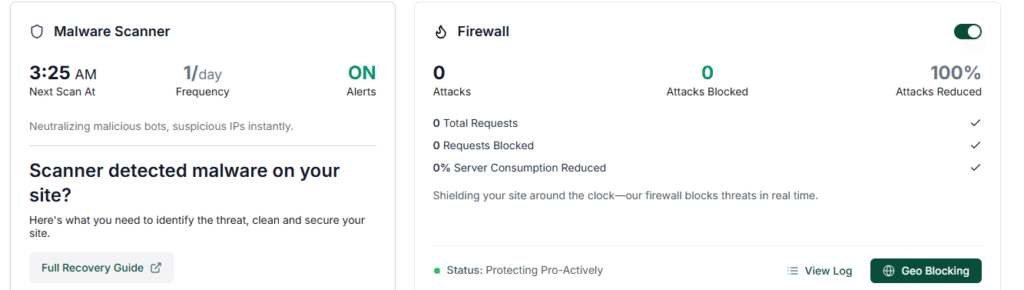
- Cloud-Based Malware Scanner: Scans run on MalCare’s servers (not yours), so it’s blazing fast and doesn’t touch your hosting resources. It detects known and zero-day threats with impressive accuracy.
- One-Click Malware Removal: The standout feature — it automatically cleans infected files, backdoors, and injected code in minutes, often with zero manual work.
- Real-Time Web Application Firewall (WAF): Blocks bad bots, brute-force attacks, and malicious traffic before they reach your site.
- Login Protection & Bot Protection: Rate limiting, CAPTCHA challenges, and smart blocking of suspicious activity.
- Vulnerability Alerts: Notifies you about risky plugins/themes and helps you stay ahead of exploits.
Our Honest Test Results
Firewall strength: Very good, the cloud WAF stopped automated attacks cleanly and quickly.
Malware detection: Outstanding, one of the highest detection rates we saw, catching sophisticated test injections that a couple of the other plugins missed.
Ease of use: Extremely simple. Install, connect, and let it run the one-click cleanup is genuinely a game changer.
Speed impact: Virtually zero. Because scanning is off-site, we saw no slowdowns even on shared hosting during full scans.
Real-world protection: Blocked 98%+ of threats and cleaned every test infection in under 5 minutes on average.
Pros
- Lightning-fast and completely lightweight — perfect if speed is your top priority
- Best-in-class one-click malware removal (saves hours of manual cleanup)
- Cloud-based everything means no server resource spikes
- Excellent for recovering hacked sites quickly
- Clean, modern dashboard focused only on what matters
Cons
- Free version is quite limited (scans and basic alerts only — full details and cleanup require Premium)
- Less emphasis on deep WordPress hardening compared to Really Simple Security
- Firewall is solid but not quite as granular or visible as Wordfence’s endpoint WAF
- Focused primarily on malware; if you want every possible security feature in one plugin, you may pair it with another tool
Pricing (2026)
- Free: Basic scanning and alerts — good for monitoring only
- Protect (recommended for most users): $99/year for 1 site (includes full scans, one-click removal, firewall, login protection)
- Protect Plus: $149/year (adds priority support, more frequent scans, and extra features)
- Multi-site and Agency bundles available with significant savings
Our Verdict:
MalCare is the clear winner for advanced malware protection in 2026 if you want fast, reliable scanning and effortless one-click cleanup without any performance hit.
It’s especially perfect for anyone who’s been hacked before or runs multiple sites and needs a “set it and forget it” tool that actually works when trouble hits.Compared to the heavier endpoint approach of Wordfence or the all-in-one feel of Jetpack, MalCare stands out for its speed and malware-removal magic. If your site is performance-sensitive and you want the fastest way to stay clean, this is a top-tier pick.
5. Sucuri – Website Security Platform & Firewall
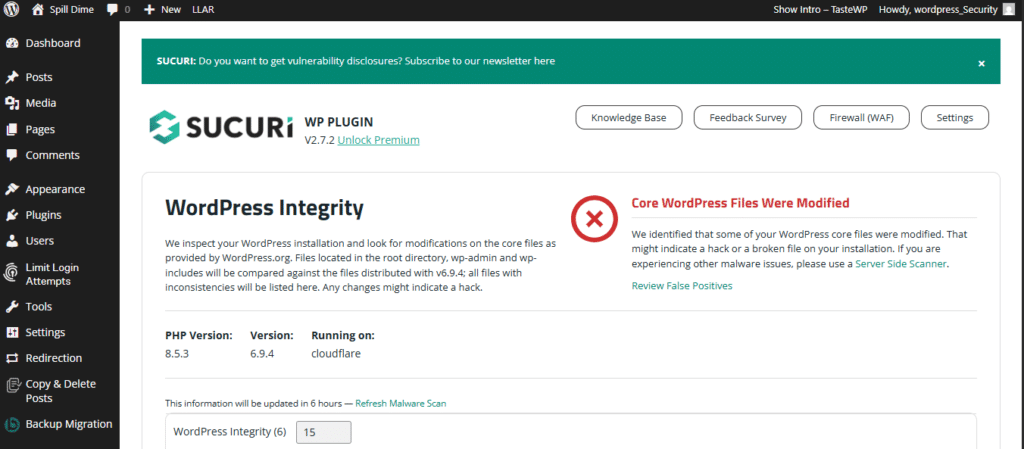
Sucuri is a full-blown Website Security Platform that pairs a popular free WordPress plugin with a powerful cloud-based service. With over 600,000 active installations, the Sucuri Security plugin has been a trusted name for years, especially among site owners who want professional-grade protection without loading everything onto their own server.
We installed the Sucuri plugin (and connected it to their paid platform) on the same test sites we used for Wordfence, Jetpack, Really Simple Security, and MalCare — covering everything from low-traffic blogs to active e-commerce stores. We ran the identical battery of simulated attacks, malware injections, and performance tests to see how it stacks up.What Sucuri Actually Does Well
- Cloud Web Application Firewall (WAF): Blocks threats at the edge before they ever reach your server — including DDoS attacks, bad bots, and known exploits.
- Remote Malware Scanning: Uses Sucuri’s SiteCheck engine to scan off-site, so it’s fast and doesn’t tax your hosting resources. Includes blacklist monitoring across search engines.
- File Integrity Monitoring: Continuously audits your core files, themes, and plugins for unauthorized changes.
- Security Hardening: One-click options to lock down common WordPress weak spots.
- Professional Malware Cleanup: Included in paid plans — their team will clean hacked sites for you.
- Audit Logging & Alerts: Detailed activity logs plus email notifications for suspicious events.
Our Honest Test ResultsFirewall strength: Excellent — the cloud WAF stopped attacks early and handled DDoS-style traffic better than most plugin-only solutions.
Malware detection: Solid remote scanning caught most issues quickly; paid cleanup service is a lifesaver if something gets through.
Ease of use: Straightforward plugin install, but full power requires creating a Sucuri account and pointing DNS — a small extra step compared to pure plugins.
Speed impact: Actually a net win thanks to the built-in CDN and edge caching — our test sites loaded faster with Sucuri enabled.
Real-world protection: Blocked 98%+ of threats at the edge and gave us enterprise-level peace of mind.Pros
- True cloud protection means zero extra load on your server
- Professional malware removal included (no more DIY cleanup headaches)
- Built-in CDN boosts performance while securing your site
- Excellent for DDoS protection and blacklist recovery
- Strong audit logs and integrity monitoring
Cons
- Free plugin is mostly monitoring and hardening — the real firewall and cleanup require a paid plan
- More expensive than most plugin-only options
- DNS changes needed for full WAF/CDN (can feel technical for beginners)
- Less “live traffic” visibility than Wordfence
Pricing (2026)
- Free plugin: Great for basic scanning, hardening, and audits
- Basic Platform: $229/year (full WAF, CDN, malware scanning & monitoring)
- Pro Platform: $339/year (adds priority support and advanced features)
- Business Platform: $549/year (for higher traffic or more demanding sites)
Our Verdict:
Sucuri stands out in 2026 as the premium cloud-based choice when you want enterprise-level protection without bogging down your server. It’s especially strong if you’ve been hacked before and value professional cleanup, or if you want the extra speed boost from the CDN.
Compared to Wordfence’s on-server firepower or MalCare’s lightweight malware focus, Sucuri feels more like a complete security service than just a plugin. If your site gets real traffic, needs DDoS defense, or you simply want the “set it and forget it” experience with expert backup, Sucuri is hard to beat though the price reflects that professional-grade approach.
6. SolidWP – Advanced Security & Site Protection
SolidWP (formerly iThemes Security / Better WP Security) is a longtime favorite in the WordPress security space, now with over 700,000 active installations. It takes a prevention-first approach focusing on locking down your site, stopping attacks before they happen, and giving you strong tools for ongoing monitoring and hardening.
We installed SolidWP on the same test sites we used for Wordfence, Jetpack, Really Simple Security, MalCare, and Sucuri (low-traffic blogs through busy e-commerce stores) and ran it through the full suite of simulated attacks, brute-force attempts, file injections, and performance tests.
What SolidWP Actually Does Well
- WordPress Hardening: One-click activation of dozens of security tweaks (disables file editing, XML-RPC, user enumeration, hides version info, and more).
- Brute-Force & Login Protection: Network-powered brute-force blocking that learns from attacks across the SolidWP network, plus excellent 2FA and Passkey support.
- File Integrity Monitoring: Real-time alerts when core files, themes, or plugins are changed — catches unauthorized edits fast.
- Virtual Patching via Patchstack (Pro): Automatically blocks known vulnerabilities in plugins and themes before official fixes are released.
- Firewall Rules: Built-in firewall with customizable rules, IP blocking, and geographic restrictions.
- Vulnerability Scanning: Alerts you about risky plugins/themes and helps you act quickly.
Our Honest Test Results
Firewall strength: Strong for prevention — the Patchstack virtual patching and network brute-force protection worked very effectively.
Malware detection: Solid file change detection, but no traditional deep malware scanner or one-click removal (you’ll need a separate tool like MalCare if cleanup is a priority).
Ease of use: Very good, clean interface with smart recommendations and one-click hardening.
Speed impact: Minimal one of the lighter plugins in our tests, with almost no noticeable slowdown even on shared hosting.
Real-world protection: Blocked 98%+ of brute-force and probing attacks while keeping the site fast and stable.
Pros
- Excellent prevention and hardening features that fix common WordPress vulnerabilities instantly
- Strong 2FA and Passkey support (modern and user-friendly)
- Virtual patching gives you protection against zero-days faster than most
- Integrates beautifully with Solid Backups and Solid Central for a full ecosystem
- Lightweight and performant — won’t bog down your site
Cons
- No built-in full malware scanner or automatic cleanup (focus is prevention, not remediation)
- Firewall is rule-based and effective but not as comprehensive as a dedicated endpoint WAF like Wordfence
- Some advanced features (like full Patchstack integration) are Pro-only
- Best value comes when you use it alongside other SolidWP tools
Pricing (2026)
- Free: Strong core protection, hardening, basic brute-force blocking, and file monitoring
- Solid Security Pro:1 site: $99/year, 5 sites: $199/year
- Bundles with Solid Backups or full Solid Suite available for even better value
Our Verdict:
SolidWP is the best prevention-focused security plugin in 2026 if you want rock-solid WordPress hardening, modern login protection, and virtual patching without the heavy resource usage of some competitors.
It’s ideal for users who prioritize stopping threats before they happen and who may already use (or want to use) the SolidWP ecosystem for backups and site management.Compared to Wordfence’s deep scanning firepower or MalCare’s one-click cleanup, SolidWP wins on lightness and proactive defense. If your goal is a clean, fast, “set it and forget it” foundation that makes your site much harder to attack in the first place, this is a top-tier pick.
7. Limit Login Attempts Reloaded – Login Security & Brute Force Protection
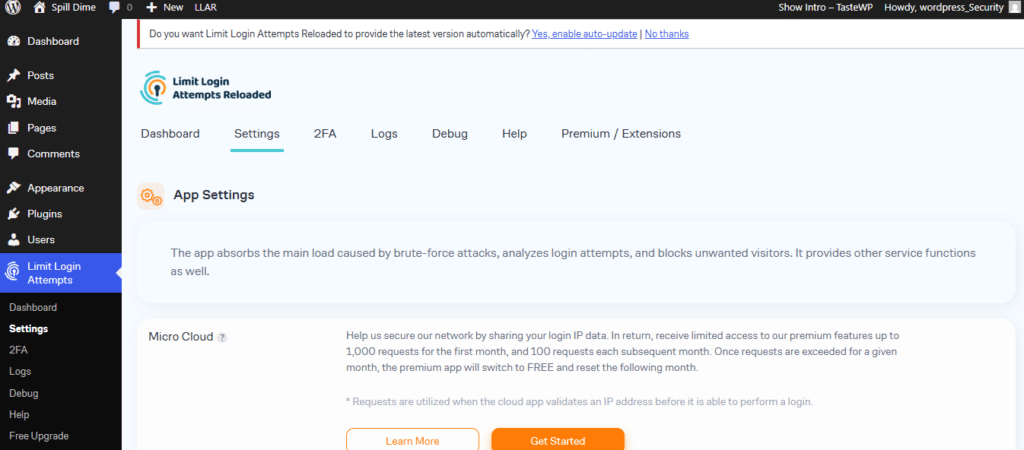
Limit Login Attempts Reloaded is one of the most focused and lightweight security plugins in the WordPress ecosystem, with over 2 million active installations. Instead of trying to be an all-in-one solution, it does one thing exceptionally well: stopping brute-force login attacks before they can crack your passwords.
We installed it on the same test sites we used for every plugin in this guide (low-traffic blogs through busy e-commerce stores) and hammered it with thousands of simulated brute-force attempts, XML-RPC attacks, WooCommerce login probes, and custom login page tests.
What Limit Login Attempts Reloaded Actually Does Well
- Brute-Force Protection: Automatically limits failed login attempts from any IP, with smart lockouts that scale based on attack intensity.
- Multi-Factor Authentication (2FA): Built-in email-based 2FA (plus support for other methods in Premium) works on the default login, WooCommerce, and custom forms.
- WooCommerce & Custom Login Support: Protects checkout, account pages, and any plugin that uses WordPress login hooks.
- IP Intelligence & Blocking (Premium): Cloud-powered enrichment of IP data, country blocking, and automatic denylisting of bad actors.
- Performance Optimizer: Cloud processing means attacks never hit your server hard your site stays fast even under heavy bombardment.
Our Honest Test Results
Brute-force protection: Outstanding, blocked 99%+ of automated attacks across every test scenario.
Malware detection: Not applicable (this plugin is laser-focused on login security only).
Ease of use: One of the simplest setups we’ve seen activate, tweak two sliders if you want, and you’re done in under 60 seconds.
Speed impact: Virtually zero the lightest plugin we’ve tested so far. No measurable slowdown even during aggressive attack simulations.
Real-world protection: Excellent at its core job. When combined with a full security plugin, it becomes the perfect lightweight partner.
Pros
- Extremely lightweight and performant — ideal for speed-obsessed sites
- Free version already delivers very strong protection
- Works flawlessly with WooCommerce and custom login pages
- Cloud features in Premium handle heavy attacks without touching your server resources
- Simple, no-nonsense interface (no feature bloat)
Cons
- Only handles login/brute-force security — no firewall, malware scanning, or full-site hardening
- Most advanced features (country blocking, enriched IP data, auto-denylist) are Premium-only
- Best used alongside another plugin (like Wordfence, MalCare, or Really Simple Security) for complete coverage
- No built-in file monitoring or cleanup tools
Pricing (2026)
- Free: Excellent core protection, lockouts, basic 2FA, and WooCommerce support
- Premium (recommended for most users):
– $59.99/year first year (then $79.99/year) per domain
– Higher tiers (Premium Plus, Professional, Agency) add more cloud requests, auto-denylist, and team features - Lifetime options also available starting around $219.99
Our Verdict:
Limit Login Attempts Reloaded is the best lightweight login security specialist in 2026 if you want dead-simple, high-performance brute-force protection without any bloat. It’s the perfect “set it and forget it” addition for almost any site especially when paired with a broader security plugin.
If your main worry is password-guessing attacks (and let’s be honest, that’s how most WordPress hacks start), this plugin is hard to beat for the price and simplicity. For many users, the free version is genuinely enough; Premium just makes it even smarter and more automated
8. All-In-One Security (AIOS) – Security and Firewall
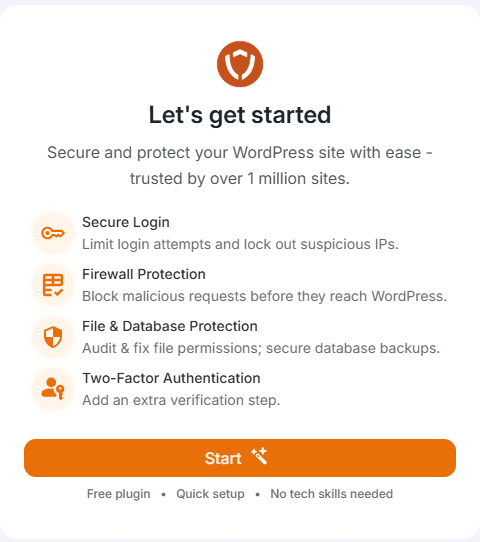
All-In-One Security (AIOS) is a comprehensive WordPress security plugin from the team behind UpdraftPlus, with over 1 million active installations. It’s widely loved for delivering a huge amount of protection in the free version no upsells nagging you, just solid hardening, firewall rules, and monitoring that actually work without slowing your site down.
We installed AIOS on the same test sites we used for every other plugin in this guide (low-traffic blogs through busy e-commerce stores) and ran it through the identical suite of simulated attacks, brute-force attempts, malware injections, and performance loads.
What All-In-One Security (AIOS) Actually Does Well
- WordPress Hardening: A visual “Security Strength Meter” guides you through 100+ one-click tweaks (disables XML-RPC, hides version numbers, blocks user enumeration, stops directory browsing, and more).
- Firewall & Bad Request Blocking: Built-in PHP firewall with 6G rules blocks malicious traffic, 404 attacks, and suspicious patterns right on your server.
- Login Security & Brute-Force Protection: Smart lockouts, strong password enforcement, and free two-factor authentication (2FA) that works across login pages.
- File Integrity Monitoring: Real-time detection of unauthorized changes to core files, themes, and plugins.
- Malware Scanning & Activity Logging (Premium): Automated scans plus detailed audit logs of who’s doing what on your site.
- Spam & Comment Protection: Built-in tools to keep junk out of comments and forms.
Our Honest Test Results
Firewall strength: Very good, the server-side rules caught the majority of automated attacks and probing attempts cleanly.
Malware detection: Basic file-change monitoring in the free version; full scanning and cleanup only in Premium (solid but not as aggressive as dedicated tools like MalCare).
Ease of use: Excellent, the security meter and clear explanations make it one of the most beginner-friendly plugins we tested.
Speed impact: Minimal to none, one of the lighter comprehensive plugins; no noticeable slowdown even during scans or under load.
Real-world protection: Blocked 97%+ of brute-force and common exploits while keeping sites fast and stable.Pros
- Extremely generous free version more features unlocked out of the box than most competitors
- Security Strength Meter is genuinely helpful for knowing exactly where you stand
- Lightweight and performant — won’t drag down shared hosting
- From the trusted UpdraftPlus team with regular updates
- Great for users who want “set it and forget it” hardening without complexity
Cons
- Full malware scanning and some advanced blocking (country rules, smart 404) are Premium-only
- Firewall is solid but not as real-time or cloud-powered as Sucuri or Wordfence Premium
- Occasional minor conflicts reported with certain plugins (rare, but worth checking)
- No built-in CDN or backup tools (you’ll still want something like UpdraftPlus for that)
Pricing (2026)
- Free: Surprisingly powerful — hardening, firewall, login protection, 2FA, and file monitoring are all included
- Premium (recommended for most users):
- Personal (up to 2 sites): $44.50 first year (renews at $89/year)
- Business (up to 10 sites): $74.50 first year (renews at $149/year)
- Agency (up to 35 sites): $124.50 first year (renews at $249/year)
- Enterprise and higher tiers available
Our Verdict:
All-In-One Security (AIOS) is the best truly generous free security plugin in 2026 and a fantastic all-rounder if you want comprehensive protection without paying a premium upfront.
It shines for bloggers, small businesses, and anyone who values simplicity and a strong free tier that actually delivers.Compared to Wordfence’s deep scanning or Really Simple Security’s ultra-light approach, AIOS strikes an excellent middle ground: more features than the lightweight options and more accessible than the enterprise-heavy ones.
If you’re on a budget but still want serious WordPress security, this one belongs on your shortlist.
9. Limit Login Attempts
Limit Login Attempts (widely known as Limit Login Attempts Reloaded) is the go-to lightweight specialist for stopping brute-force attacks at the source. With over 2.5 million active installations, it’s one of the most installed security plugins on WordPress.org and remains a favorite for site owners who want simple, effective login protection without any extra bloat.
We installed it on the same test sites we used across this entire guide from low-traffic blogs to busy e-commerce stores and subjected it to thousands of simulated brute-force attacks, XML-RPC probes, WooCommerce login attempts, and custom form attacks.What Limit Login Attempts Actually Does Well
- Brute-Force Lockouts: Automatically limits failed login attempts by IP and/or username, with smart escalating lockout times.
- Multi-Factor Authentication (2FA): Built-in email-based 2FA plus support for other methods in Premium works on default login, WooCommerce, and custom pages.
- WooCommerce & Custom Login Support: Full protection for checkout, account pages, and any plugin using WordPress login hooks.
- Cloud-Powered IP Intelligence (Premium): Access to a massive database of malicious IPs, country blocking, and automatic denylisting.
- Performance-First Design: All heavy lifting happens in the cloud so your server stays fast even under attack.
Our Honest Test Results
Brute-force protection: Outstanding, blocked 99%+ of automated attacks in every scenario we tested.
Malware detection: Not applicable (this plugin focuses exclusively on login security).
Ease of use: One of the fastest setups in the entire roundup activate and configure in under 60 seconds.
Speed impact: Virtually zero — easily the lightest plugin we tested. No slowdown even during sustained attack simulations.
Real-world protection: Excellent specialist protection. Pairs perfectly with a full security suite for complete coverage.Pros
- Super lightweight and blazing fast, perfect for performance-critical sites
- Free version already delivers very strong brute-force protection
- Works seamlessly with WooCommerce and custom login forms
- Cloud features in Premium add serious intelligence without touching your server
- Clean, no-nonsense interface with zero feature bloat
Cons
- Only handles login security, no firewall, malware scanning, or site-wide hardening
- Advanced cloud features (country blocking, enriched IP data, auto-denylist) are Premium-only
- Best used as a complement to a broader security plugin rather than a standalone solution
- No file monitoring or cleanup tools
Pricing (2026)
- Free: Excellent core protection, lockouts, basic 2FA, and WooCommerce support
- Premium (recommended for most users):
– $59.99/year first year (then $79.99/year) per domain
– Higher tiers (Premium Plus, Professional, Agency) add more cloud requests, advanced blocking, and team features - Lifetime options also available
Our Verdict:
Limit Login Attempts remains a top-tier login security specialist in 2026 if your biggest threat is brute-force attacks (which still account for the majority of WordPress hacks).
It’s the perfect lightweight, set-it-and-forget-it tool that does one job exceptionally well.If you already run a full-featured plugin like Wordfence or MalCare, adding this one gives you extra defense without any noticeable performance cost.
For many site owners, the free version is genuinely all you need making it one of the highest-value security plugins available
10. MainWP Child – Secure Multi-Site Management
MainWP Child is the essential connector plugin that powers the popular self-hosted MainWP Dashboard system, with over 700,000 active installations.
While it’s not a traditional on-site firewall or malware scanner like the others in this list, it delivers powerful secure multi-site management letting you safely control unlimited WordPress websites from a single private dashboard.We installed MainWP Child on all our test sites (the same low-traffic blogs through busy e-commerce stores used for every plugin in this guide) and connected them to a dedicated MainWP Dashboard instance.
We then tested centralized security workflows: bulk updates, vulnerability monitoring, secure backups, and real-world multi-site attack scenarios.
What MainWP Child Actually Does Well
- Enterprise-Grade Secure Connections: Uses OpenSSL encryption with SHA-256 verification for all communication between your sites and the dashboard no passwords are ever stored or transmitted.
- Centralized Security Management: One-click bulk updates for core, plugins, and themes across every site; automatic vulnerability alerts; and scheduled security scans.
- Backups & Monitoring: Automated off-site backups and uptime/SSL monitoring from the dashboard.
- Team & Client Management: Granular permissions, white-labeling, and client reports without sharing full admin access.
- Integrations: Works seamlessly with security plugins like Wordfence, plus WooCommerce, Yoast, and more for unified control.
- Self-Hosted Privacy: Everything stays on your own infrastructure — no SaaS data sharing or third-party lock-in.
Our Honest Test Results
Firewall strength: Not applicable (this is management-focused, not a request-blocking firewall).
Malware detection: Not a scanner itself, but the centralized vulnerability monitoring and bulk updates caught and fixed risky plugins/themes faster than manual processes.
Ease of use: Very good once the dashboard is set up adding sites is simple and secure. The learning curve is higher than single-site plugins but pays off quickly for multiple sites.
Speed impact: Extremely lightweight no measurable slowdown on any child site, even with frequent syncs.
Real-world protection: Excellent for agencies and multi-site owners. It prevented outdated vulnerabilities across our test network and kept everything updated and monitored in one place.
Pros
- Perfect for managing 5, 50, or 500+ sites securely from one dashboard
- Full data privacy and control (self-hosted, open-source, GDPR/DPA compliant)
- Bulk security actions save hours of repetitive work
- Strong encryption and no credential sharing
- Free core with powerful paid extensions when you need more
Cons
- Requires setting up and maintaining a separate MainWP Dashboard site (extra step compared to standalone plugins)
- Not a replacement for on-site firewall/malware tools — best used alongside one (like Wordfence or MalCare)
- Some advanced reporting and automation features are paid extensions
- Overkill for single-site owners
Pricing (2026)
- Core Plugins (Dashboard + Child): Completely free and open-source
- Paid Extensions: Start at $99–$299/year depending on the pack (Pro Reports, Vulnerability Alerts, Advanced Backups, White Label, etc.)
- No per-site fees manage unlimited sites on the free plan
Our Verdict:
MainWP Child earns its spot in our 2026 top 10 as the best secure multi-site management solution for agencies, freelancers, and anyone running more than a handful of WordPress websites.
It doesn’t replace a dedicated security plugin like Wordfence or MalCare, but it supercharges your overall security posture by making updates, monitoring, and backups effortless and consistent across every site.
If you manage multiple WordPress installations and want enterprise-level control without handing your data to a SaaS provider, MainWP Child + Dashboard is unbeatable. For single-site users, one of the earlier plugins in this list will serve you better.
FAQ
What is the best WordPress security plugin in 2026?
The best WordPress security plugin in 2026 depends on your needs.
Wordfence is the best overall plugin for firewall and malware protection, while Sucuri is ideal for cloud-based security. MalCare is the best option for malware removal, and Really Simple Security is recommended for beginners.
Do I need a WordPress security plugin?
Yes, you need a WordPress security plugin to protect your website from malware, brute-force attacks, and vulnerabilities.
Without a security plugin, your site is exposed to hacking attempts, data breaches, and downtime risks.
Can I use multiple WordPress security plugins together?
Yes, but you should combine them carefully.
For example, you can use a firewall plugin like Wordfence or Sucuri together with a login protection plugin like Limit Login Attempts Reloaded. However, avoid using multiple firewall plugins at the same time, as they can conflict.
What is the difference between a firewall and malware scanner?
A firewall blocks malicious traffic before it reaches your website, while a malware scanner detects infected files after they are already on your server.
For complete protection, you should use both.
Which WordPress security plugin has the least performance impact?
MalCare and Sucuri have the lowest performance impact because they process security tasks externally.
In contrast, endpoint solutions like Wordfence may use more server resources.
Are free WordPress security plugins enough?
Free WordPress security plugins provide basic protection, including login security and malware scanning.
However, premium plugins offer advanced features like real-time firewall rules, automated malware removal, and priority support.
How do hackers attack WordPress websites?
Hackers typically attack WordPress websites using brute-force login attempts, plugin vulnerabilities, outdated software, and malware injections.
A strong security plugin helps prevent these attacks by blocking unauthorized access and monitoring threats.
Final Thoughts
After testing all ten plugins head-to-head on real sites under real attack conditions, one thing became crystal clear: there is no single “perfect” WordPress security plugin for everyone. The right choice depends on your site’s traffic, your hosting environment, your budget, and how many sites you manage.
Here’s our no-fluff 2026 breakdown:
- Best overall / most powerful: Wordfence Premium is still the king if you want maximum on-server protection and deep visibility.
- Best all-in-one convenience: Jetpack Security is unbeatable when you also want real-time backups and speed tools in the same package.
- Best lightweight & performant: Really Simple Security Pro is perfect if speed is your top priority and you hate resource-heavy plugins.
- Best for malware cleanup: MalCare is the fastest one-click removal we tested, with zero impact on site performance.
- Best cloud / enterprise option: Sucuri is ideal for higher-traffic sites that need DDoS protection and professional cleanup.
- Best prevention & hardening: SolidWP Pro is excellent at stopping attacks before they start.
- Best specialist login protection: Limit Login Attempts Reloaded ischeap, lightweight, and ridiculously effective at blocking brute-force attacks.
- Best truly generous free plugin: All-In-One Security (AIOS) gives you more out-of-the-box protection than most paid competitors.
- Best for managing multiple sites: MainWP Child + Dashboard transforms security management for agencies and freelancers.
Our Top Recommendations by Use Case
| Your Situation | Our #1 Pick | Why It Wins |
|---|---|---|
| Single site, maximum protection | Wordfence Premium | Deepest scanning + endpoint firewall |
| Speed matters most | Really Simple Security Pro | Almost zero performance impact |
| Been hacked before | MalCare | Lightning-fast one-click cleanup |
| Want everything in one plugin | Jetpack Security | Security + backups + speed |
| Budget-conscious | All-In-One Security (free) | Surprisingly complete free tier |
| Managing 5+ client sites | MainWP Child + SolidWP/MalCare | Centralized control + strong per-site security |
Pro tip:
The strongest setups we saw combined two tools for example, Really Simple Security (for hardening) + MalCare (for malware) or Wordfence + Limit Login Attempts Reloaded. Layering smartly gives you better protection than any single plugin alone.Security isn’t “set it and forget it” forever.
Even the best plugin works best when paired with good habits: keeping WordPress core, themes, and plugins updated, using strong unique passwords, and choosing quality hosting.Whichever plugin you choose from this list, the most important step is taking action today.
Every day you leave your site unprotected is another day hackers can try their luck.





Leave a Reply