Why free cracked plugins can destroy your website, hurt your SEO, and cost more than premium tools
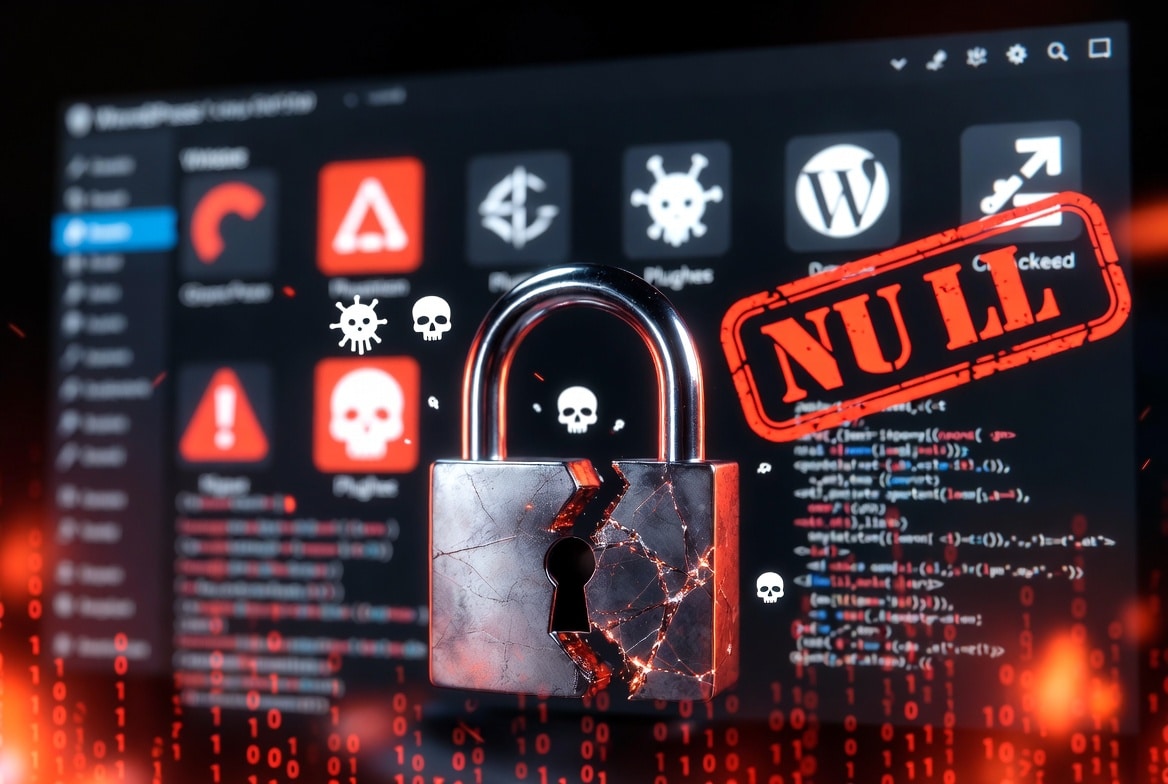
Many WordPress users search for free versions of premium plugins and themes. Users often call these tools “nulled plugins” or “nulled themes. At first, they may look like a smart way to save money.
But there is a serious problem.
Most nulled WordPress plugins and themes contain hidden malware, backdoors, spam links, or malicious code. These nulled plugins and themes can compromise your security, harm your SEO, and put your hosting account at risk.
A plugin that saves you $49 today could cost you thousands of dollars later.
In this guide, you will learn:
- What nulled plugins are
- Why they are dangerous
- How hackers use them to attack websites
- The hidden SEO risks
- Real problems caused by cracked themes and plugins
- Safe alternatives you should use instead
- How to check if your website is infected
By the end, you will understand why security experts strongly warn against using nulled WordPress products.
What Nulled WordPress Plugins and Themes Are?
Nulled plugins and themes are pirated copies of premium WordPress products.
Someone removes the license protection from a paid plugin or theme and shares it for free on another website.
These websites often promise:
- Free premium plugins
- GPL downloads
- Lifetime activation
- Unlimited licenses
- Premium WordPress themes at no cost
Some users believe nulled products are safe because WordPress uses the GPL license.
However, the real danger is not the licensing.
The real danger is people who distribute these nulled plugins and theme first modify the code before distribute.
Hackers inject hidden code into the plugin or theme. Once installed, the malicious code gives attackers access to your website.
That means you are not just downloading a plugin. You are potentially installing malware directly on your server.
Why People Use Nulled Plugins
Before discussing the risks, it is important to understand why people use them.
Most users install nulled plugins because they want to:
- Save money
- Test premium tools before buying
- Access expensive plugins for free
- Avoid recurring subscription fees
- Use multiple premium plugins on many websites
For beginners, especially small businesses and new bloggers, premium WordPress tools may feel expensive.
A premium plugin can cost between $49 and $1000 per year.
That makes nulled products look attractive.
But in reality, the hidden cost is much higher.
The Security Risks of Nulled Plugins
Most warnings about nulled plugins stop at malware. That’s accurate but incomplete.
Nulled plugins carry at least seven distinct risk categories. Several of them cause damage that stays hidden for weeks or months. By the time you notice something is wrong, the damage is done.
1. Hidden Malware Infections
This is the biggest risk.
Hackers often inject malware into nulled plugins and themes.
The malware may:
- Create hidden admin accounts
- Steal login credentials
- Redirect visitors to spam websites
- Send phishing emails
- Inject malicious scripts
- Install ransomware
- Turn your website into part of a botnet
Many website owners never notice the infection immediately. The malicious code runs silently in the background.Some malware activates weeks or months later to avoid detection.
By the time you discover the problem, the attacker may already control your website.
2. Backdoors That Give Hackers Access
Many nulled plugins contain hidden backdoors. A backdoor gives attackers secret access to your website without needing your password. Even if you change your password, remove suspicious users, or update WordPress, hackers can still break in through the hidden backdoor. Hackers repeatedly attack infected WordPress sites because owners clean up the symptoms but leave the malicious plugin installed
3. SEO Spam and Google Blacklisting
Nulled plugins can secretly inject spam links into your website. Hackers use your site to promote gambling websites, fake products adult content, Counterfeit stores, Scam pages, Cryptocurrency scams.
Sometimes Attackers hide these spam pages are from normal visitors but visible to Google. Spammers call this technique spam cloaking. When Google discovers spam or malware on your site, your rankings can collapse.
Your website may:
- Lose search traffic
- Receive security warnings
- Get blacklisted by Google
- Show “This site may be hacked” in search results
- Be blocked by browsers
Recovering from a Google blacklist can take weeks or months. For businesses that depend on SEO traffic, this can be devastating. Check out our resource page for recommend tools
4. Stolen Customer Data
Using nulled plugins doesn’t just put your site at risk it puts your customers in danger.
If you are running an online store, membership website, booking system, or learning platform, protecting customer data is critical.
Nulled plugins may steal:
- Customer emails
- Passwords
- Payment information
- Contact forms
- Personal data
This leads to data breaches, legal problems, loss of trust, and financial damage
For eCommerce websites, the damage can be severe. Avoid nulled plugins and safeguard your business with trusted, secure software. Explore our list of recommended security plugins to safeguard your customers data.
5. No Security Updates
Premium plugin developers release updates regularly. These updates fix security vulnerabilities, compatibility issues, bugs, feature problems
When you use a nulled plugin, updates usually stop working. That leaves your website exposed to known vulnerabilities. Hackers actively scan the internet for outdated WordPress plugins. Once they find vulnerable websites, automated attacks begin immediately.
Using outdated plugins is one of the most common causes of WordPress hacks.
6. Poor Website Performance
“Many nulled plugins hide scripts that drain server resources, load malicious files, run spam processes, and mine cryptocurrency. As a result, your website slows down, becomes unstable, and loses SEO rankings, user trust, and sales. Even a one‑second delay can significantly reduce conversions. Even a one-second delay can reduce conversions significantly.
7. Your Hosting Account Can Be Suspended
Most hosting companies monitor websites for malware. If a nulled plugin infects your site, your hosting provider can suspend the site or disable your account.
This often happens without warnings. For businesses, downtime means lost revenue and damaged reputation.
Ways Hackers Use Nulled Plugins
Many users think hackers manually target websites. Hackers launch most attacks automatically. Cybercriminals use bots to scan millions of WordPress websites for vulnerabilities.
Hackers commonly abuse nulled plugins in the following ways.
1. Malicious Redirects
Visitors are secretly redirected to:
- Scam websites
- Fake betting platforms
- Phishing pages
- Malware downloads
Sometimes redirects only happen for:
- Mobile users
- Search engine visitors
- First-time visitors
That makes the problem harder to detect.
2.Hidden Admin Accounts
Attackers create secret administrator users. Even if you remove malware, the hidden admin account allows the hacker to return.
Many website owners never notice these accounts because hackers use random usernames.
3.Email Spam Campaigns
Hackers use infected WordPress sites to send spam emails.
This can:
- Damage your domain reputation
- Cause email delivery problems
- Get your IP address blacklisted
Your business emails may stop reaching customers.
4. Crypto Mining Scripts
Some malicious plugins secretly use your server resources to mine cryptocurrency.
This increases:
- CPU usage
- Server load
- Hosting costs
It also slows down your website dramatically.
Signs Your Website May Be Infected
Many malware infections remain hidden for weeks.
Watch for these warning signs.
Common Symptoms
- Your website becomes very slow
- Google shows security warnings
- Random popups appear
- Visitors are redirected to spam websites
- Unknown admin users appear
- Hosting company sends malware alerts
- Search rankings suddenly drop
- Antivirus software blocks your site
- Strange code appears in files
- Website traffic decreases suddenly
If you notice these issues, scan your website immediately.
Why Nulled Plugins Hurt SEO
SEO damage is one of the biggest long-term risks.
Many users focus only on malware but ignore how badly nulled plugins affect search rankings.
Google Prioritizes Safe Websites
Google wants users to visit secure websites.
If your website contains:
- Malware
- Spam pages
- Phishing content
- Harmful redirects
Google may reduce your rankings.
In severe cases, your website may disappear from search results completely.
Spam Links Destroy Website Authority
Hackers inject spam links to manipulate SEO.
These links often point to:
- Gambling websites
- Adult content
- Scam stores
- Fake pharmaceuticals
This damages your domain reputation.
Even after cleanup, SEO recovery can take a long time.
Slow Websites Rank Lower
Page speed is an important ranking factor.
Malicious scripts increase load time.
A slow website causes:
- Higher bounce rates
- Lower engagement
- Poor user experience
- Reduced search visibility
That means nulled plugins can damage SEO even without obvious malware.
Are GPL Plugins Safe?
This topic confuses many WordPress users. WordPress itself uses the GPL license. Some developers legally redistribute GPL products.
However, the problem is trust. Even if redistribution is technically legal, many third-party download websites modify the files.
You cannot verify:
- Whether the plugin is clean
- If malicious code was added
- If the files were altered
- If the source is trustworthy
Downloading plugins from unknown websites is a major security risk.
The True Cost of “Free” Plugins
Many users install nulled plugins to save money.
But the real costs may include:
A premium plugin license is usually much cheaper than recovering from a hacked website.
Safe Alternatives to Nulled Plugins
You do not need to risk your website.
There are safer options.
1. Use Free Plugins from the WordPress Repository
The official WordPress plugin repository contains thousands of free plugins. These plugins go through security and quality reviews. Always download plugins from trusted sources.
2. Buy Plugins from Reputable Developers
Purchase plugins directly from official developer websites.
Benefits include:
- Security updates
- Customer support
- Bug fixes
- Better compatibility
- Genuine licenses
Trusted developers invest heavily in security.
3. Use Lightweight Alternatives
Many expensive plugins have simpler free alternatives.
Before using a nulled plugin, ask yourself a question like “Do I really need this feature?”
Sometimes a lightweight free plugin works perfectly.
4. Use Managed WordPress Hosting
Good hosting providers include:
- Malware scanning
- Firewalls
- Automatic backups
- Security monitoring
- Threat detection
This improves your overall website security.
What To Do If You Already Installed a Nulled Plugin
If you ready have nulled plugin or theme do not panic but act quickly.
Step 1: Remove the Nulled Plugin
Deactivate and delete the plugin or theme immediately.
Do not keep inactive nulled files on your WordPress site or server
Step 2: Scan Your Website
Run a complete malware scan.
Check for:
- Suspicious files
- Hidden admin users
- Modified core files
- Unknown scripts
Step 3: Change All Passwords
Update your WordPress, hosting, and database passwords, and follow strong, unique password practice
Step 4: Restore From a Clean Backup
If possible, restore your website from a backup created before the infection.
Step 5: Install a Legitimate Version
Purchase the plugin from the official developer. Using legitimate software is safer and more reliable.
How to Identify Unsafe Plugin Websites
Be careful when downloading WordPress files.
Red flags include:
- “Free premium plugin” promises
- Too many ads and popups
- Suspicious download buttons
- No company information
- No support documentation
- Poor website design
- Recently created domains
- Fake reviews
If a website looks untrustworthy, avoid it.
Final Thoughts
Nulled WordPress plugins and themes may look like a quick way to save money.
But they often create serious security problems.
The risks include:
- Malware infections
- SEO damage
- Stolen customer data
- Website blacklisting
- Slow performance
- Hosting suspension
- Repeated hacking attacks
In most cases, the long-term cost is far greater than the price of a legitimate plugin license.
If you care about your website, business reputation, SEO rankings, and customer trust, avoid nulled plugins completely.
Use trusted WordPress plugins from reputable developers.
A secure website is always cheaper than recovering from a hacked one.
Frequently Asked Questions
Is it illegal to use nulled WordPress plugins?
Some redistribution may fall under GPL licensing rules, but many nulled websites distribute modified or malicious files. Even when technically legal, using them is risky.
Can nulled plugins infect my website with malware?
Yes. Many nulled plugins contain malware, backdoors, spam scripts, or hidden code that attackers use to compromise websites.
Why do hackers use nulled plugins?
Hackers use them to distribute malware, steal data, create spam pages, redirect traffic, and gain control of WordPress websites.
Can nulled plugins hurt SEO?
Yes. They can inject spam links, slow down your website, redirect visitors, and cause Google security warnings or blacklisting.
How can I check whether hackers have infected my website?
Look for unusual behavior such as redirects, spam pages, slow performance, unknown admin users, or sudden SEO drops. Run a full malware scan immediately.
What is the safest way to download WordPress plugins?
Use the official WordPress plugin repository or purchase directly from trusted developers.
Is using premium plugins worth the cost?
Yes. Legitimate plugins provide updates, support, security patches, and better long-term reliability.




Leave a Reply