Every week, someone asks the same question in every WordPress Facebook group, every Reddit thread, and every developer Slack: “Is WordPress actually secure?”
The short answer is yes; WordPress is secure. However, that answer only tells half the story. The full truth is more nuanced and understanding that nuance is the difference between a site that stays clean for years and one that gets hacked within six months of launch.
In this guide, we walk through the real statistics, explain exactly what puts WordPress sites at risk, and give you a clear action plan to fix every vulnerability. Furthermore, we point to the specific tools and settings that make the biggest difference.
🎯 What you’ll learn WordPress’s actual security track record — the numbers, the root causes of hacks, the five biggest risks your site faces right now, and step-by-step fixes for each one.
- WordPress by the Numbers: The Real Scale of Attacks
- What Is — and Isn’t — WordPress’s Fault
- The 5 Biggest WordPress Security Risks in 2026
- How to Fix Each Risk (Step-by-Step)
- The Honest Verdict: Is WordPress Safe Enough?
- Frequently Asked Questions
WordPress by the Numbers: The Real Scale of Attacks
Before we judge WordPress’s security, we need to understand the sheer scale of what we’re discussing. WordPress powers 43% of all websites on the internet — more than 810 million active sites. Consequently, it attracts more attack attempts than any other platform simply because of its market dominance.
Notably, Wordfence — the world’s largest WordPress security provider — blocks over one billion attacks every single month across its network of protected sites. That number sounds alarming at first glance. Indeed, it is alarming. But it also reveals something important: the vast majority of those attacks are automated bots scanning for known vulnerabilities, not targeted attacks against your site specifically.
Additionally, Patchstack’s 2026 State of WordPress Security Report found that more high-severity vulnerabilities appeared in the ecosystem in 2025 than in the two previous years combined. However, that increase largely came from premium marketplace themes and plugins not from WordPress core itself.
💡Key Takeaway – The volume of attacks on WordPress is massive because WordPress is massive. Specifically, your risk depends far less on WordPress itself and far more on what plugins you install, what hosting you choose, and how you manage your admin access.
What Is and Isn’t WordPress’s Fault
Many people blame WordPress whenever a WordPress site gets hacked. In reality, that conclusion misses the actual cause almost every time. Let’s break this down clearly.
What WordPress Core Does Right
The WordPress core development team takes security seriously. In fact, they dedicate an entire security team to monitoring threats, patching vulnerabilities, and releasing updates quickly. Furthermore, WordPress ships automatic background updates for minor security releases, so your site automatically installs critical patches without you lifting a finger.
The core codebase itself undergoes regular security audits. Moreover, WordPress has a responsible disclosure program that rewards security researchers for finding and reporting vulnerabilities before attackers can exploit them.
Where the Real Risk Lives
The uncomfortable truth is that 97% of WordPress hacks target plugins and themes, not the core software. Simply put, WordPress core is not the problem. The problem is the ecosystem around it.
| Source of Hack | Percentage of Incidents | Verdict |
|---|---|---|
| Vulnerable plugins | 56% | Highest risk — update immediately |
| Vulnerable themes | 14% | Second risk — audit and remove unused themes |
| Weak passwords / credential stuffing | 16% | Entirely preventable with 2FA |
| Poor hosting environment | 8% | Choose managed WordPress hosting |
| WordPress core vulnerabilities | 1% | Very rare — keep core updated |
| Other / unknown | 5% |
As a result of these numbers, blaming WordPress core for security problems is like blaming a car manufacturer because someone left their keys in the ignition. The platform is not the issue — the configuration, plugins, and user habits are the issue.
That said, WordPress does carry one inherent challenge: its popularity makes it the most-targeted platform on the web. Consequently, even a well-maintained site needs active security measures that a similarly-configured site on a less popular platform might not require.
The 5 Biggest WordPress Security Risks in 2026
Outdated Plugins and Themes
Outdated software is the single leading cause of WordPress hacks. When a security researcher discovers a vulnerability in a popular plugin, they report it to the developer. The developer releases a patch. However, attackers immediately start scanning the web for sites that haven’t updated yet — and they have automated tools that identify vulnerable versions within hours of public disclosure.
For example, in 2025, a critical SQL injection vulnerability in a plugin with over 400,000 active installs was disclosed on a Monday morning. By Tuesday, Wordfence had already blocked over 4 million exploitation attempts against unpatched sites. That speed of attack is standard not exceptional.
Moreover, the problem compounds when site owners install plugins and forget them. The average WordPress site runs 22 active plugins. If even two of those plugins have unpatched vulnerabilities, attackers will eventually find them.
Weak Passwords and Brute Force Attacks
Brute force attacks are exactly what they sound like: automated bots that try thousands of username-password combinations against your login page until one works. Subsequently, once they gain access, attackers install backdoors, inject spam links, or steal customer data.
Interestingly, the most targeted username is still “admin” the default name WordPress assigned for years. Similarly, the most common passwords on hacked sites include “password123,” site names, and keyboard patterns like “qwerty.” These credentials fall within seconds.
Additionally, brute force tools now target not just wp-login.php but also xmlrpc.php and /wp-admin/admin-ajax.php, which many security plugins overlook. Therefore, a single layer of login protection is no longer enough.
Nulled Themes and Plugins
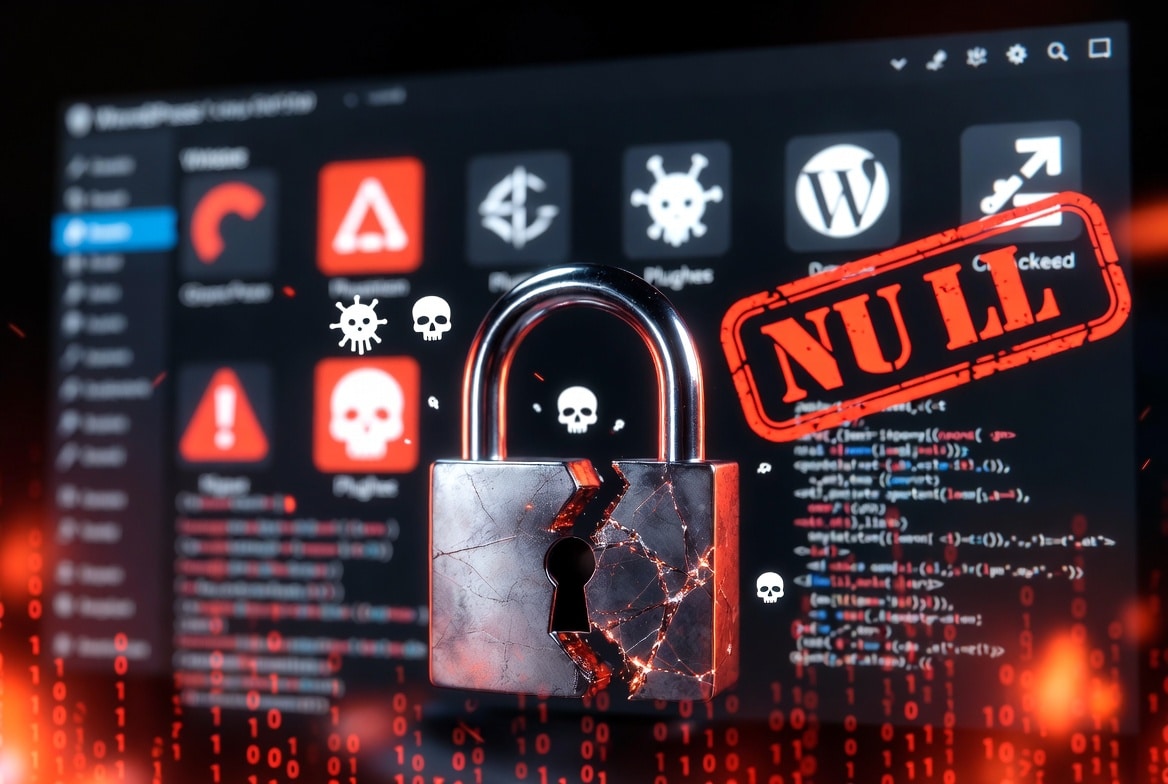
Nulled themes and plugins are premium products that someone cracked and distributes for free on unofficial sites. Rather than saving money, using nulled software introduces a backdoor directly into your site. Researchers find that over 68% of nulled themes and plugins contain malicious code — either already active or waiting to activate on a schedule.
Unfortunately, site owners often don’t realize the danger until weeks or months later, when they notice strange redirects, blacklist warnings in Google Search Console, or an email from their host about malicious activity. By that point, the damage is already done.
Instead of using nulled software, use the free versions of premium plugins or buy legitimate licenses. The cost of a plugin license is a fraction of the cost of malware cleanup.
Poor Hosting Environments
Your hosting environment is the foundation of your entire security posture. Cheap shared hosting typically places your site on a server with hundreds of other websites. As a result, if any of those sites gets infected with malware, the infection can spread across the entire server — including your site — even if your own code is perfectly clean. This is called a “cross-site contamination” attack.
Furthermore, budget hosts frequently run outdated PHP versions, skip server-level malware scanning, and provide no Web Application Firewall (WAF). In contrast, managed WordPress hosts like Kinsta and Cloudways build security into the infrastructure itself — they run custom firewalls, automatic malware scanning, DDoS protection, and hack-free guarantees.
Specifically, Kinsta runs its platform on Google Cloud’s Premium Tier infrastructure with Cloudflare Enterprise as a network-level shield. Likewise, Cloudways integrates Imunify360 a server-level security scanner at no extra cost. These protections catch threats that application-level plugins simply cannot see.
Unprotected wp-admin and Login Pages
By default, every WordPress site exposes its admin login at yourdomain.com/wp-admin and yourdomain.com/wp-login.php. Evidently, every attacker on the internet already knows these URLs. Bots continuously hammer these endpoints with credential-stuffing attacks, exploiting leaked password databases from other data breaches.
Beyond the default login URL, many sites also leave xmlrpc.php enabled a legacy API endpoint that attackers use to execute amplified brute force attacks. A single request to xmlrpc.php can test hundreds of passwords simultaneously, bypassing traditional login attempt limiters entirely.
Naturally, fixing this is one of the highest-impact security changes you can make and it takes less than ten minutes.
How to Fix Each Risk (Step-by-Step)
Above all, knowing the risks means nothing unless you take action. Here is exactly what to do for each risk starting today.
Fix #1 — Keep Everything Updated
- Enable automatic updates for WordPress core minor releases in
wp-config.phpby adding:define('WP_AUTO_UPDATE_CORE', true); - Review your Dashboard → Updates panel every week — not every month.
- Remove plugins and themes you don’t actively use. Every inactive plugin is an attack surface, even if it’s not running.
- Use Wordfence’s vulnerability scan to identify plugins with known security issues before attackers exploit them.
Fix #2 — Lock Down Your Login
- Enable two-factor authentication (2FA) on every admin account. Wordfence includes 2FA built into its free version — specifically under Wordfence → Login Security.
- Change your login URL from
/wp-adminto a custom path using the WPS Hide Login plugin. - Limit login attempts — Wordfence handles this automatically by blocking IPs after repeated failed logins.
- Use a password manager to generate and store unique 20+ character passwords for every admin account.
Fix #3 — Audit Every Plugin and Theme
- Delete every plugin and theme you don’t actively use deactivating is not enough.
- Only install plugins from WordPress.org or verified developers with active update histories.
- Never install nulled or “free premium” software from unofficial sites.
- Run a WPScan audit on your plugins monthly to check for known CVEs.
Fix #4 — Upgrade Your Hosting
- If your hosting provider doesn’t offer at minimum a built-in WAF, automatic malware scanning, and isolated server environments, it’s time to switch. Managed WordPress hosts like Kinsta and Cloudways include all of these at the infrastructure level — before malicious traffic even reaches your WordPress installation.
- Ask whether they include server-level malware scanning (Imunify360, Maldet, or similar).
- Look for a host running PHP 8.2 or higher (older PHP versions contain unpatched vulnerabilities).
- Confirm your host provides automatic daily backups stored offsite.
Fix #5 — Protect and Restrict Your Admin Area
- Disable XML-RPC entirely unless you use the WordPress mobile app or Jetpack. Add this to your
.htaccessfile:<Files xmlrpc.php> Order Deny,Allow Deny from all </Files> - Restrict
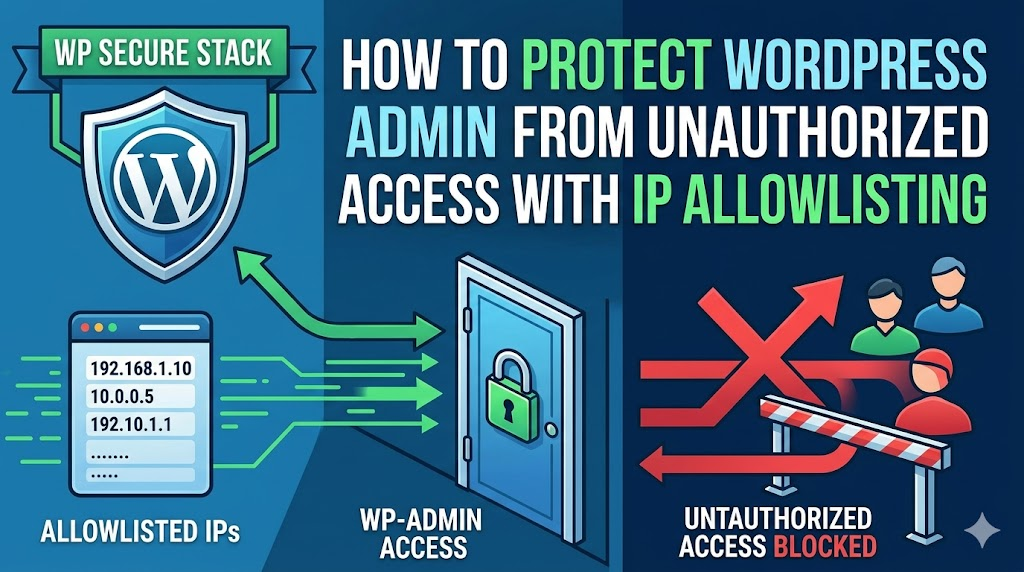
/wp-adminaccess to your specific IP address using an IP allowlist. Our IP restriction guide walks you through every method. - Install a Web Application Firewall (WAF) – Wordfence’s free WAF blocks the majority of known attack patterns before they reach your login page.
✅ Quick Win
Installing Wordfence and enabling its firewall and 2FA takes less than 15 minutes and immediately eliminates the two highest-risk attack vectors: brute force logins and known exploit traffic.
The Honest Verdict: Is WordPress Safe Enough?
Yes — WordPress is safe enough. Furthermore, it is one of the most battle-tested platforms on the web. Thousands of banks, governments, major media companies, and enterprise businesses run their public-facing sites on WordPress without incident because they take security seriously.
The sites that get hacked are overwhelmingly sites where someone ignored an update notification for three months, installed a free theme from a sketchy source, or used the same password across fifteen different services. In other words, the platform isn’t the problem the habits are.
Ultimately, WordPress security in 2026 comes down to four non-negotiable habits:
- Update everything, every week — plugins, themes, and core.
- Use 2FA on every admin account — no exceptions.
- Install a WAF and security plugin — Wordfence covers both.
- Choose quality hosting — cheap hosting is not a bargain when it costs you your site.
In conclusion, the question isn’t really “is WordPress secure?” The real question is: “Are you managing your WordPress site securely
Frequently Asked Questions.
Is WordPress more vulnerable than other CMS platforms?
Not inherently. WordPress’s higher rate of reported hacks reflects its dominant 43% market share — attackers target it because of its scale, not because its code is weaker. Drupal and Joomla sites face similar risks when owners skip updates. In fact, a well-hardened WordPress site is more secure than a neglected Drupal installation. The platform matters less than the maintenance habits.
Can a WordPress site get hacked even with a security plugin installed?
Yes — but the risk drops dramatically. Security plugins like Wordfence block the overwhelming majority of automated attacks. However, no plugin prevents a site owner from installing a malicious nulled theme or reusing a password stolen in a data breach. Security plugins handle technical threats; you still need to handle human habits.
How do I know if my WordPress site has already been hacked?
Common signs include: unexpected redirects to spam sites, Google showing a “This site may be hacked” warning in search results, your host suspending your account for malicious activity, new admin accounts you didn’t create, and unfamiliar files appearing in your WordPress directory. Run a Wordfence scan immediately if you suspect anything — it checks all files and flags anything unusual.
Does updating WordPress core break my site?
Minor updates (e.g., 6.7.1 → 6.7.2) are purely security patches and almost never break anything. Major updates (e.g., 6.7 → 6.8) occasionally cause plugin conflicts. The solution is simple: always take a full backup before a major update, and test on a staging site first. Kinsta and Cloudways both provide one-click staging environments for exactly this purpose.
Is WordPress.com more secure than self-hosted WordPress.org?
WordPress.com handles server security for you — updates, backups, and infrastructure are all managed by Automattic. Self-hosted WordPress.org gives you complete control but requires you to manage security yourself. For beginners who want convenience, WordPress.com is a safer starting point. For anyone who needs full control over plugins and customization, self-hosted with a quality managed host like Kinsta or Cloudways is the better long-term choice.
What is the single most important security step for a WordPress site?
Enable two-factor authentication on every admin account and keep all plugins updated. These two steps alone prevent the vast majority of successful attacks. If you do only one thing after reading this article, enable Wordfence’s free 2FA — it takes under five minutes and makes credential-stuffing attacks essentially impossible.
Sources: Patchstack 2026 Security Report, Wordfence Intelligence, WordPress.org Security Team



Leave a Reply