
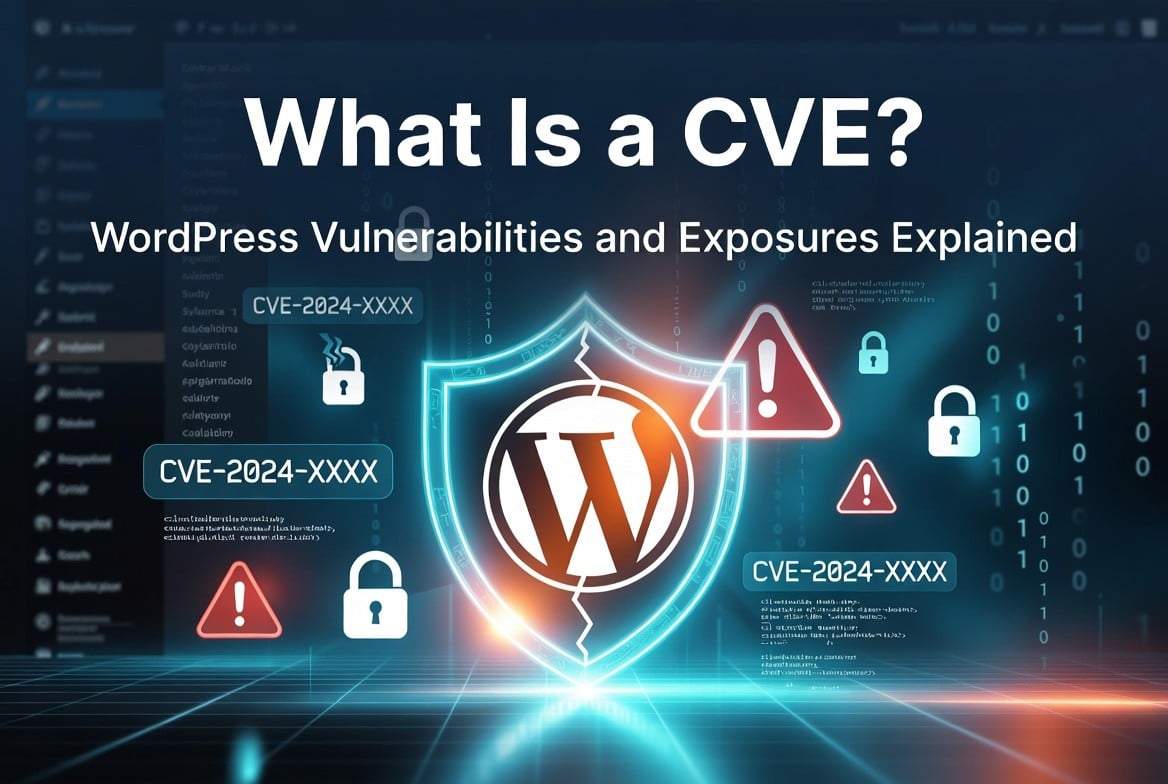
WordPress powers over 43% of the web. That popularity makes it a prime target. In 2024 alone, security researchers discovered and registered 7,966 new vulnerabilities across WordPress plugins, themes, and core — a 34% jump from 2023. Each one got a CVE.
If you run a WordPress site and don’t know what a CVE is, this guide fixes that. You’ll learn what CVEs are, how they work in WordPress, where to find them, and most importantly, what to do when one affects your site.
What Is a CVE?
CVE stands for Common Vulnerabilities and Exposures. It’s a standardized identification system for publicly known security flaws in software.
MITRE Corporation manages the CVE program, and the U.S. National Institute of Standards and Technology (NIST) tracks them in the National Vulnerability Database (NVD) at nvd.nist.gov.
Every CVE gets a unique ID in this format:
CVE-[YEAR]-[NUMBER]For example: CVE-2025-58674 is a stored cross-site scripting flaw found in WordPress 6.8.2, patched in WordPress 6.8.3 (released September 2025).
The CVE system gives security researchers, developers, hosting providers, and site owners a common language. Instead of saying “there’s a bug in that plugin,” you say “CVE-2025-6740 affects Kadence Blocks 3.5.10 and below.” Everyone immediately knows exactly what you mean.
Who Issues CVEs for WordPress?
CVE Numbering Authorities (CNAs) assign CVE IDs. In the WordPress ecosystem, several organizations act as CNAs:
- Patchstack — the largest discloser of WordPress CVEs. In the first half of 2025, Patchstack reported 66.6% of all named WordPress vulnerabilities, making it the biggest CVE discloser of any organization across all software categories.
- Wordfence — runs the Wordfence Intelligence database and assigns CVEs to vulnerabilities their team discovers
- WPScan — maintains a WordPress-specific vulnerability database used by many scanners
- GitHub / Automattic — issue CVEs for WordPress core vulnerabilities
A researcher finds a flaw, reports it to the plugin developer or a CNA, and after a fix exists (or a disclosure deadline passes), the CNA assigns a CVE ID and publishes the details.
What Is a WordPress CVE Vulnerability?
A WordPress CVE vulnerability is any security flaw in WordPress core, a plugin, or a theme that receives an official CVE identifier.
These flaws fall into several categories:
Cross-Site Scripting (XSS)
The most common type. An attacker injects malicious JavaScript into a page. When another user visits that page, the script runs in their browser. XSS can hijack sessions, steal cookies, or redirect users to phishing sites.
Example: CVE-2025-58674 affected WordPress core versions 4.7 through 6.8.2. An attacker with Author-level access could inject stored XSS. WordPress 6.8.3 (released September 22, 2025) patched it.
SQL Injection
An attacker manipulates database queries by inserting malicious SQL code. A successful SQL injection can expose your entire database — usernames, passwords, emails, posts, everything.
Example: CVE-2025-28959 affects the URL Shortener Plugin with no fix available as of mid-2025. It carries a Critical severity rating.
Cross-Site Request Forgery (CSRF)
The attacker tricks a logged-in user into performing an action they didn’t intend — like changing their password, adding a new admin, or deleting content — by getting them to click a malicious link.
Remote Code Execution (RCE)
The most dangerous type. The attacker executes arbitrary code on your server. Full site compromise often follows within minutes.
Example: WP File Manager (700,000+ installs) had an RCE vulnerability where unauthenticated attackers could upload PHP files and execute code directly on the server. CVSS score: 9.9 (Critical).
Privilege Escalation
A lower-level user (like a Subscriber) gains admin-level access. CVE-2024-12593 in the Post Grid and Gutenberg Blocks plugin scored 9.8 — unauthenticated users could escalate to full admin privileges.
Authentication Bypass
An attacker skips the login process entirely and gains access to protected areas.
Path Traversal
An attacker reads files outside the intended directory, potentially accessing wp-config.php, server logs, or other sensitive files.
Where Do WordPress CVEs Come From?
96% of WordPress CVEs come from plugins. Another 4% come from themes. WordPress core contributes fewer than 1% — just 7 core vulnerabilities appeared in all of 2024, none of them critical.
This matters for how you think about security. A well-maintained WordPress core installation is not inherently insecure. The plugins and themes you install are your biggest risk surface.
Why plugins carry so much risk:
- The WordPress plugin repository hosts over 60,000 plugins
- Many plugins get written by solo developers with limited security review
- Abandoned plugins still have millions of active installs
- Premium plugins often have less public scrutiny than free ones
Understanding the CVE Severity Scale (CVSS)
Every CVE also gets a CVSS score — Common Vulnerability Scoring System. This number (0.0 to 10.0) tells you how severe the vulnerability is.
| Score Range | Severity | Action |
|---|---|---|
| 9.0 – 10.0 | Critical | Patch within hours |
| 7.0 – 8.9 | High | Patch within 24-48 hours |
| 4.0 – 6.9 | Medium | Patch within a week |
| 0.1 – 3.9 | Low | Patch at next maintenance window |
CVSS scores factor in:
- Attack Vector — Can the attacker exploit it remotely, or do they need local access?
- Attack Complexity — Does the attack require special conditions?
- Privileges Required — Does the attacker need to be logged in?
- User Interaction — Does someone need to click something?
- Impact — How much damage to confidentiality, integrity, and availability?
One important caveat: CVSS measures severity, not risk to your specific site. A Critical-rated flaw in a plugin you don’t use poses zero risk to you. A Medium-rated flaw in a plugin handling payments on 50,000-visit-per-day site is a four-alarm emergency.
WordPress CVE Database: Where to Find Them
Several databases track WordPress CVEs. Use all of them — they don’t always overlap.
National Vulnerability Database (NVD) nvd.nist.gov — The official U.S. government database. Search “WordPress” to see all registered CVEs. Every CVE listed here includes a CVSS score, affected versions, and references to patches.
Wordfence Intelligence wordfence.com/threat-intel/vulnerabilities — Updated daily. One of the most comprehensive WordPress-specific databases. Free to search.
WPScan Vulnerability Database wpscan.com/wordpresses — Focused exclusively on WordPress core. Shows every core version’s known vulnerabilities with CVE numbers.
Patchstack Database patchstack.com/database — Real-time vulnerability data with plugin/theme breakdowns. Patchstack now accounts for the majority of newly registered WordPress CVEs.
CVE Details cvedetails.com — Aggregates CVEs from multiple sources. Filter by vendor (Automattic / WordPress) and sort by CVSS score.
GitHub Advisory Database github.com/advisories — Search for WordPress CVEs in GitHub’s advisory database. Useful for plugin-level issues tracked in package ecosystems.
The Notable WordPress CVE List
Here are real CVEs that illustrate common attack types:
| CVE ID | Affected Software | Type | CVSS | Fixed In |
|---|---|---|---|---|
| CVE-2025-58674 | WordPress Core ≤ 6.8.2 | Stored XSS | Medium | 6.8.3 |
| CVE-2024-12593 | Post Grid & Gutenberg Blocks | Privilege Escalation | 9.8 | Patched |
| CVE-2025-28959 | URL Shortener Plugin | SQL Injection | Critical | No Fix |
| CVE-2025-6740 | Kadence Blocks ≤ 3.5.10 | XSS | High | 3.5.11 |
| CVE-2025-6244 | CFDB7 Contact Form DB | XSS | Medium | 1.3.2 |
| CVE-2024-6305 | WordPress Core ≤ 6.5.5 | Stored XSS (Template Part) | Medium | 6.5.5 |
| CVE-2024-6306 | WordPress Core ≤ 6.5.5 | Path Traversal | Medium | 6.5.5 |
WordPress 6.7 and 6.8 Vulnerabilities
WordPress 6.7 shipped several fixes. The core team addressed issues in the block editor that allowed Contributors to inject stored XSS through Template Part blocks, and a path traversal issue affecting Windows servers. WPScan tracks these as “Contributor+ Stored XSS in Template-Part Block” and “Contributor+ Path Traversal.”
WordPress 6.8.3 (September 22, 2025) is a dedicated security release with two fixes:
- CVE-2025-58674 — A stored XSS vulnerability affecting Author-level users across all WordPress versions from 4.7 through 6.8.2. Low severity, but requires immediate patching given how widely deployed these versions are.
- An additional DOM-based XSS fix (WP < 6.8.3 – Author+ DOM Stored XSS).
If your site runs anything below 6.8.3, update now.
WordPress 7.0 — As of mid-2026, WordPress 7.0 has not been officially released. Any vulnerability reports referencing “WordPress 7.0 CVE” are either speculative or misinformation. Watch wordpress.org/news for official release announcements.
WordPress CVE and GitHub: How It Works
GitHub plays a growing role in WordPress CVE tracking through two mechanisms:
GitHub Advisory Database — When a WordPress plugin or theme is distributed as a package, GitHub indexes its vulnerabilities. You can search github.com/advisories for any WordPress-related CVE.
Dependabot Alerts — If you manage a WordPress site through Composer or track plugin versions in a repository, GitHub Dependabot can alert you when a dependency has a known CVE.
Security Advisories on Plugin Repos — Some WordPress plugin developers publish security advisories directly in their GitHub repositories, linking to CVE numbers and explaining the fix.
Searching GitHub for a specific CVE ID (e.g., CVE-2025-58674) often surfaces the original disclosure, proof-of-concept details, and patch commits — giving you more context than the NVD entry alone.
How to Scan Your WordPress Site for CVE Vulnerabilities
WPScan (Command Line)
WPScan is the industry standard for WordPress vulnerability scanning. It checks your site against its database of known CVEs.
wpscan --url https://yoursite.com --api-token YOUR_API_TOKENThe free tier gives you 25 API requests per day. A paid plan covers continuous monitoring.
Wordfence Plugin
The free Wordfence plugin runs a local file scanner and checks your plugins against the Wordfence Intelligence database. It flags plugins with known CVEs and shows the CVE ID and severity.
Install from: wordpress.org/plugins/wordfence
Patchstack
Patchstack offers a free plan for up to 3 sites. It monitors your plugins and themes against their real-time CVE database and sends alerts the moment a vulnerability gets disclosed.
WPScan API via SaaS Tools
Tools like Solid Security (formerly iThemes Security), Jetpack Protect, and MalCare integrate WPScan’s API to give you in-dashboard vulnerability reporting with CVE details.
WordPress Vulnerability Reports
Several organizations publish weekly WordPress vulnerability reports. Subscribe to at least one:
SolidWP Weekly Report — solidwp.com/blog (search “vulnerability report”) — Published every Wednesday. Lists every new CVE from the previous week with plugin name, CVE ID, severity, and whether a patch exists.
Wordfence Weekly Report — wordfence.com/blog — Covers critical findings from the Wordfence Intelligence database.
Patchstack Weekly — patchstack.com/articles — Focuses on Patchstack’s own disclosures plus ecosystem trends.
WPScan Advisories — wpscan.com — Tracks WordPress core CVEs specifically.
These reports matter because speed counts. Attackers scan for vulnerable plugins within hours of a CVE going public. A week’s delay in patching often means a compromised site.
What to Do When a CVE Affects Your Site
Work through this checklist in order:
1. Check the CVSS score. Critical (9.0+) or High (7.0+)? Drop everything and patch now. Medium or Low? Schedule for your next maintenance window.
2. Check if you use the affected plugin or theme. Go to wp-admin → Plugins and search for the plugin name. Many CVEs affect plugins with fewer than 1,000 installs — if you don’t have it, you’re not at risk.
3. Update immediately if a patch exists. Go to wp-admin → Updates. One click fixes the majority of CVE-related risks.
4. Check if a patch exists. Some CVEs have no fix. If the plugin has no patch and carries a Critical or High rating, deactivate and delete it. Find an alternative.
5. Check for signs of compromise. If the vulnerability was actively exploited before you patched (check the CVE’s “Known Exploited” status in NVD), run a malware scan with Wordfence, MalCare, or Sucuri SiteCheck.
6. Enable auto-updates for plugins. WordPress supports automatic plugin updates. Go to wp-admin → Plugins, click “Enable auto-updates” for each plugin you trust to update safely.
Responsible Disclosure: How CVEs Get Created
The process from bug discovery to CVE publication follows a standard path:
- A security researcher finds a vulnerability in a WordPress plugin
- The researcher contacts the plugin developer privately (responsible disclosure)
- The developer has 30-90 days to release a fix
- Once the fix ships, the researcher or a CNA publishes the CVE with full technical details
- If the developer doesn’t respond, the researcher publishes anyway after the deadline
This process protects users. Most CVEs go public only after a fix exists, so the moment you see a new CVE, a patch should already be available.
The exception: zero-day vulnerabilities — flaws published before any fix exists. These require immediate action.
The Bigger Picture: WordPress Security in 2025-2026
The numbers are worth knowing:
- 64,782+ total vulnerabilities tracked across the WordPress ecosystem (all-time, as of 2025)
- 7,966 new CVEs registered in 2024 alone
- 96% of vulnerabilities come from plugins
- 52% of 2024’s CVEs came from Patchstack research alone
- WordPress core had just 7 vulnerabilities in 2024 — none critical
The lesson: a hardened, regularly updated WordPress core with carefully chosen, actively maintained plugins is genuinely secure. The problem is the 60,000+ plugins in the repository, many of which get minimal security review.
Your attack surface shrinks every time you delete a plugin you don’t actively use.
Key Takeaways
- A CVE is a unique ID for a publicly known security vulnerability. Format: CVE-YEAR-NUMBER.
- CVSS scores (0–10) measure severity. Critical = 9.0+. Patch within hours.
- 96% of WordPress CVEs come from plugins, not core.
- Check Wordfence, Patchstack, NVD, or WPScan to look up CVEs affecting your site.
- WordPress 6.8.3 is the latest security release. Anything older has known CVEs.
- Subscribe to weekly WordPress vulnerability reports so you hear about new CVEs before attackers exploit them.
- When a Critical or High CVE affects a plugin you use, patch the same day.
Found a vulnerability in a WordPress plugin? Report it to the plugin developer directly or through Patchstack’s bug bounty program at patchstack.com/bug-bounty.
Additional Resources:
Check out latest guidelines on




Leave a Reply